
Have you checked these first?
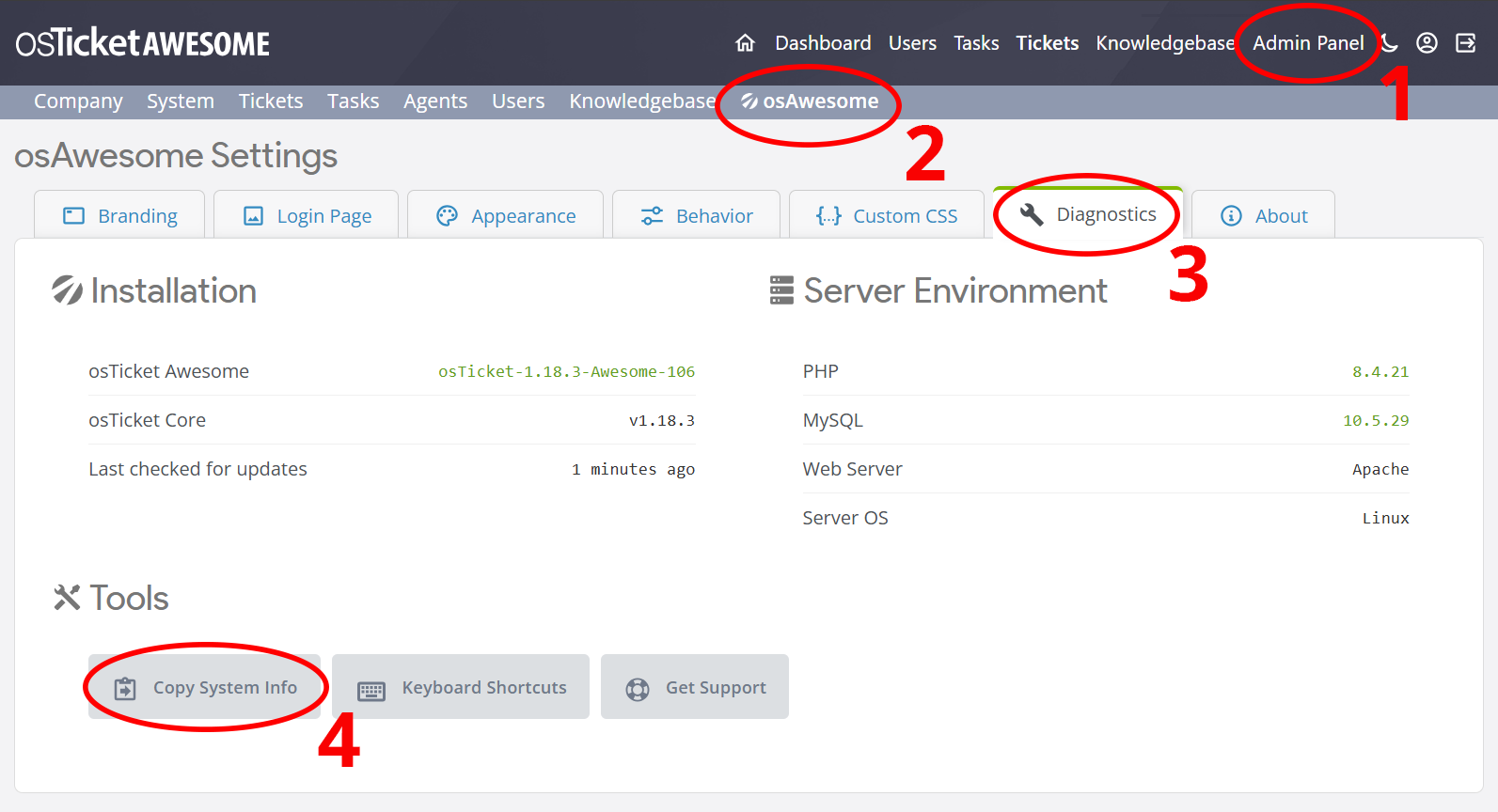
Help us help you: include your environment details. We've made this easy for you. Use the Copy System Info button in Admin Panel › osAwesome › Diagnostics, then paste below.
Note: Never paste the contents of your ost-config.php file here; it holds your database credentials.
Two quick checks before posting: try clearing your browser cache, and press SHIFT+O on any Staff Panel page to enter Safe Mode (a stock osTicket with no enhancements). If the problem still shows in Safe Mode, it's in osTicket itself, not osTicket Awesome. But let us know about the issue either way.
Help us help you: include your environment details. We've made this easy for you. Use the Copy System Info button in Admin Panel › osAwesome › Diagnostics, then paste below.
This forum is public. Never post order numbers, full license keys, email addresses, or payment details.
This is the place for general questions about how billing and licensing work — renewals, activation, staging slots, plan differences, and what happens when a license lapses.
For anything tied to your specific account, refund, or payment, contact us directly instead.

We cant upgrade from 1.16.3 to 1.17.0 because of problems with logging in.
Normally we use LDAP as login. But also a local User cant login correctly.
There is no error in log (Database, Apache Log or Firefox Debug). After login the login-Page just shows up again.
We need 1.17.0 because of the oauth2 Plugin and IMAP with the deactivation of basic auth Office365.
Also the frontend shows "offline" although i forgot to set osticket to offline. In the database "isonline" is set to 1.

Hey!
Sorry I can't help you but I got the same issue did you find a solution to this problem?
No. We just reverted to 1.16.3. But it seems not to be problem with Awesome. Having the same Problem with a normal instance, too. But no solution until now.
Okay thanks for the fast reply, I'll try to setup a new osticket site with a new database, I suppose the database is the issue and go from there

Hi guys,
This shouldn't be a problem after updating from 1.16.3 to 1.17.0, obviously. And, for what it's worth, it's the first I'm hearing of it.
Did you use 1.17.x with PHP 8.0 or higher?
Have you temporarily removed all plugins from /include/plugins?
Have you searched, or asked for help, in the osTicket forums?
Setting up a new installation with a fresh database is a great idea, too. Please let us know what you discover!
This is probably the issue. Over in the osTicket Forum KevinTheJedi says:
Clear your cache + session + cookies and retest. It sounds like potential session issues which we have a pull for that is currently being reviewed; it will be included in next release
Hi, thanks for getting back to us. I've set up a completely fresh installation with a new database, and it worked flawlessly.
I'll try removing all plugins and clearing cache + cookies + session and see if it works
We use a staging page for testing the new version. We copied a running instance of 1.16.3 to the staging folder and updated it to 1.17.0.
This staging page connects to the same database and tables from version 1.16.3.
While the 1.16.3 can be accessed normally, the 1.17.0 is showing up in "offline mode". Even with disabled cache and cookies and all plugins removed. Loggin into the SCP-Interface with an local administrative account, then also "System offline" is displayed after "login" and the login-page is showing up again.
Okay I did following things:
removed all plugins, cleared cache + cookies, tried login into the SCP interface, doesn't work (see screenshot what I get as a response from the script), I checked in the database just to make sure that I still have privileges to access the admin panel and I do.
When trying to access osticket as a normal user it shows that the page is in "offline mode".

I have something to add, when I tested 1.16.3 yesterday it worked fine because my session was still saved I didn't clear cache and cookies, after I deleted it now I couldn't log into SCP either but with a different error (500 Internal Server Error), I removed every plugin except the LDAP plugin and then I could successfully log into the SCP (1.16.3), when I added back following plugin: "auth-passthru.phar" it wouldn't let me log into the SCP on the 1.16.3 version,
Tried the same thing with 1.17, without success, and as mentioned in my message above it shows me "access denied" which is a whole other error than I experienced on 1.16.3
I've been meaning to mention that the next release is available and should clear up all these issues.