
Have you checked these first?
Help us help you: include your environment details. We've made this easy for you. Use the Copy System Info button in Admin Panel › osAwesome › Diagnostics, then paste below.

Note: Never paste the contents of your ost-config.php file here; it holds your database credentials.
Two quick checks before posting: try clearing your browser cache, and press SHIFT+O on any Staff Panel page to enter Safe Mode (a stock osTicket with no enhancements). If the problem still shows in Safe Mode, it's in osTicket itself, not osTicket Awesome. But let us know about the issue either way.
Help us help you: include your environment details. We've made this easy for you. Use the Copy System Info button in Admin Panel › osAwesome › Diagnostics, then paste below.
This forum is public. Never post order numbers, full license keys, email addresses, or payment details.
This is the place for general questions about how billing and licensing work — renewals, activation, staging slots, plan differences, and what happens when a license lapses.
For anything tied to your specific account, refund, or payment, contact us directly instead.

Hi there,
I just installed awsome ticket v1.10.1-v1.3 and everything seems right but when I try so sent a pipe email the ticket wont appear.
Any guess how to fix it?
Thanks

Hi Thomas,
osTicket Awesome doesn't contain any modifications that could be responsible for breaking email piping. However, the fact is that by installing osTicket Awesome you have replaced your osTicket files with new copies.
Therefore, you will likely need to repeat some of the steps that were taken when email piping was first configured on your server.
For example, you will need to set permissions of your /api/pipe.php file to 0755.
I hope this helps.
Hi Stevland,
I check permissions and overwrite everything again but without luck. I'm using php 5.6 in the hosting.
I only notice that I cannot download the osticketawesome from FireFox, says it's corrupt so I downloaded from Chrome and could be something about that.
The osticket it's updated to the last version and without any modification, it's a bit strange this. I really wanna to have osticketawesome working.
Thanks
Sorry for the delayed response, Thomas.
It sounds like you are having another, unrelated issue. Let's focus on that first.
Please post a screenshot of your osTicket Awesome in Firefox and/or send the URL of your help desk.
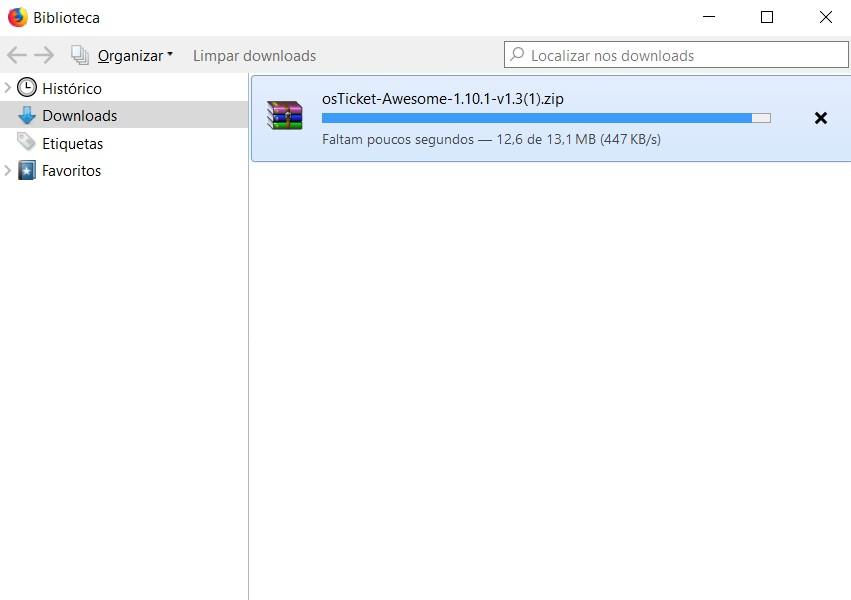
Ok, so let's start in the part that I cannot download the osticketawesome from firefox. I started the download, but in the end I get this message "Malsucedido" that means in Portuguese "Not Sucess"
 </p>
</p>
<p>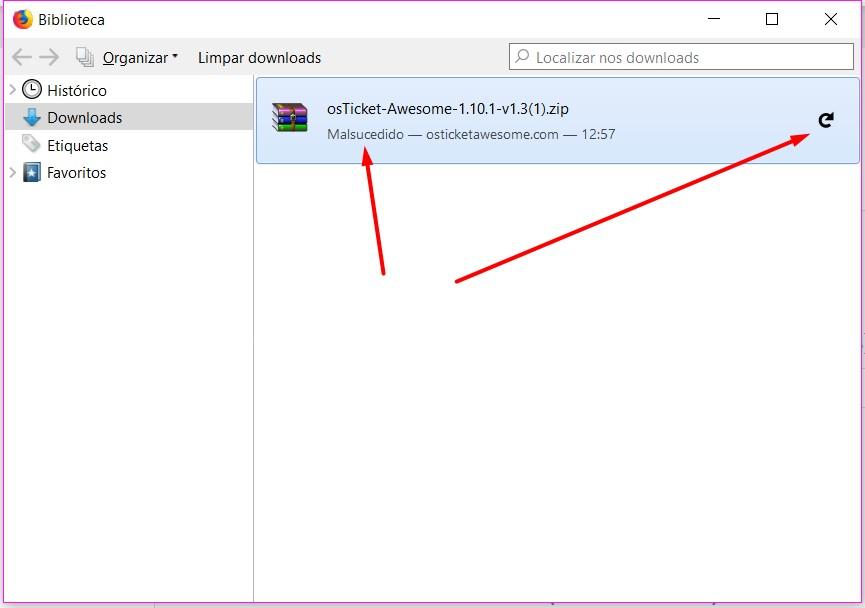
Thanks for pointing that out, Thomas. The download is working properly now in Firefox.
Regarding the piping of emails, let me back up and ask you a question:
Were you using this feature before? Or are you trying to use it for the first time?
Hi there,
Now it's working with firefox, great.
I was using the pipe before, so I just overwrite the files and checked permissions but seams everything normal.
I'm really sorry, @Thomas Bosbach. I forgot to respond to this post from a long time ago until another customer pointed it out to me tonight.
Did you figure out how to make email piping work?
Here is what I told the other customer regarding the same issue...
I'm sorry, but this isn't really an osTicket Awesome question... it is an osTicket question.
I wish I could help you but I have never used email piping myself.
Hopefully when you installed osTicket Awesome you kept a backup of your original osTicket installation.
Assuming your osTicket is installed into a directory called /support, you can temporarily use your /support-old directory.
Both installations use the same database, and you can use either one without any trouble. Any changes in one are reflected in the other.
If you previously had email piping working in your original osTicket installation you will need to reproduce whatever steps you took with your new osTicket Awesome installation.
If you've never had email piping working before, here are the latest instructions. I would recommend that you set it up in your original osTicket installation first.
If you are still having trouble you can ask for help in the osTicket forum.
(You don't need to mention that you use osTicket Awesome, you can just get help with your original osTicket installation. Once your get it working you will know what you need to do to configure your osTicket Awesome installation as well!)
I hope this helps you figure out what you need to do.
Hey guys,
Finally it's working, I just upload everything without the api/pipe.php that I left the same. Don't ask me why but it's working now.
Thanks for your help Stevland
Hey @Thomas Bosbach,
It would be really helpful if you could compare your working api/pipe.php file to the one that comes with osTicket or osTicket Awesome. You must have edited that file at one time. If you could take a few moments to let me know what is different it may help other people in the future.
Either way, I'm happy that you figured it out!
Hey,
I compared the two an they are the same, line per line, so I don't know what's the difference. Could be something in permissions but I don't know for sure, just know that it's working now.
Thanks
Yes it must have a different permission setting. The api/pipe.php file needs to be 755 to be executable. If you look at it using FileZilla, it will look like this:
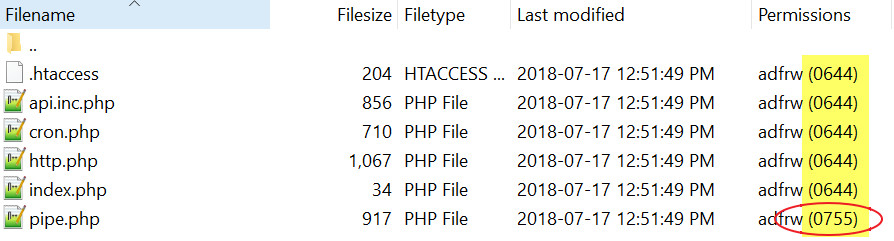
You must have set that permission when you first set up email piping. It is easy to do!
Anyway, now you know for the next time you want to upgrade.

have same experience in centos 7,
change to fileformat to unix to fix the problem:
in vi:
set fileformat=unix
then save.
I just saw your solution now, many months later.
Thank you for posting this! I added the vi instruction to the Troubleshooting page.