
Have you checked these first?
Help us help you: include your environment details. We've made this easy for you. Use the Copy System Info button in Admin Panel › osAwesome › Diagnostics, then paste below.

Note: Never paste the contents of your ost-config.php file here; it holds your database credentials.
Two quick checks before posting: try clearing your browser cache, and press SHIFT+O on any Staff Panel page to enter Safe Mode (a stock osTicket with no enhancements). If the problem still shows in Safe Mode, it's in osTicket itself, not osTicket Awesome. But let us know about the issue either way.
Help us help you: include your environment details. We've made this easy for you. Use the Copy System Info button in Admin Panel › osAwesome › Diagnostics, then paste below.
This forum is public. Never post order numbers, full license keys, email addresses, or payment details.
This is the place for general questions about how billing and licensing work — renewals, activation, staging slots, plan differences, and what happens when a license lapses.
For anything tied to your specific account, refund, or payment, contact us directly instead.

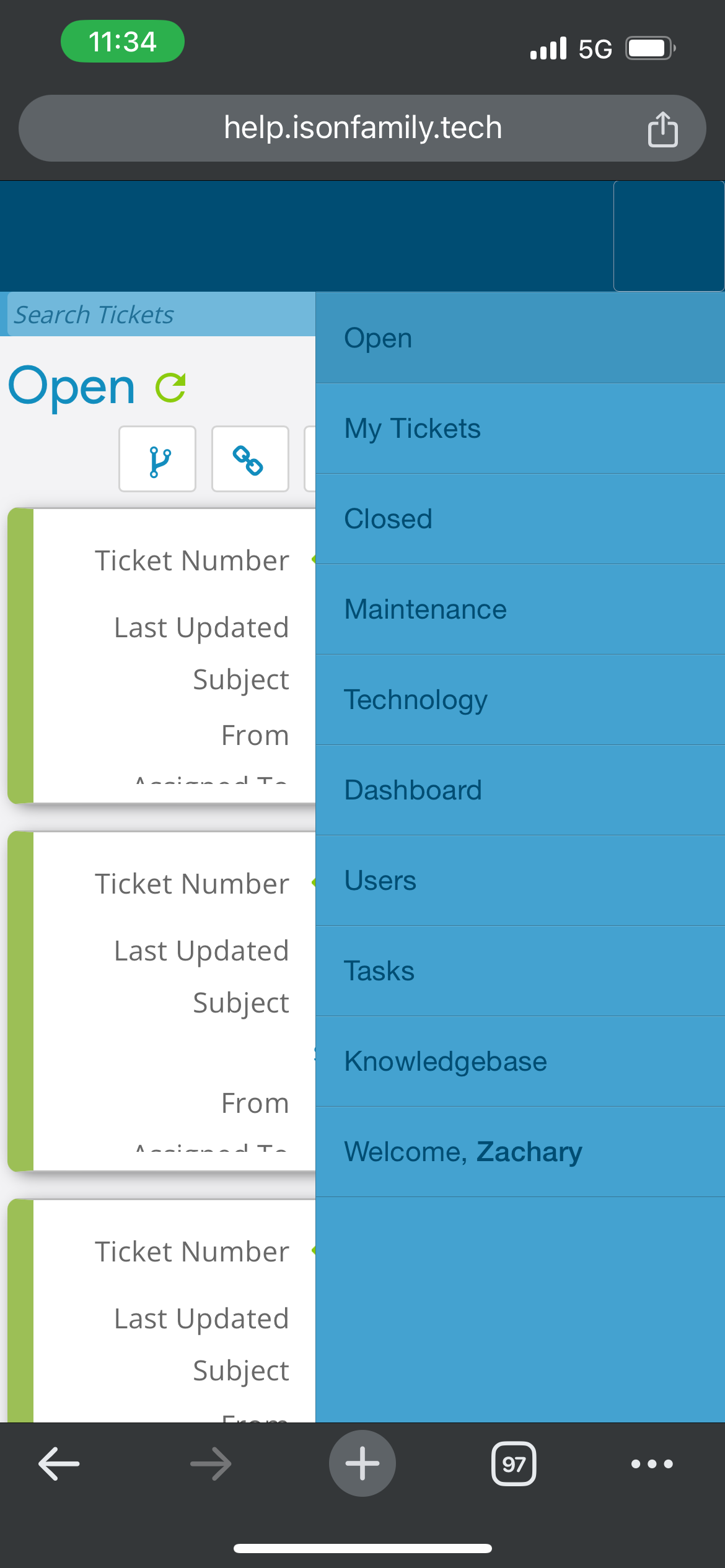
Top Mobile menu is missing in light mode, working in dark mode. Confirmed in both IOS and Android. Please let me know what you need from me. Thanks
Info Dump from theme:
osTicket v1.18.1 // osTicket-1.18.1-Awesome-101
PHP 8.1.24 // MySQL 8.0.34 // Apache/2.4.52 (Ubuntu) web server

Hi zwing,
You don't run into this issue while using the 1.18.1-1 Demo, correct?
So the question is: what is wrong with your environment or installation?
Troubleshooting on a mobile device is quite limited.
So visit the installation using a desktop browser (I recommend Chrome for this).
Press Control+Shift+J to open the Console (Command+Option+J on a Mac).
Resize the left panel (containing your installation) until the navigation icons disappear).
What errors (if any) appear in the Console?
Also check your apache logs for relevant errors.
Let me know what you find.
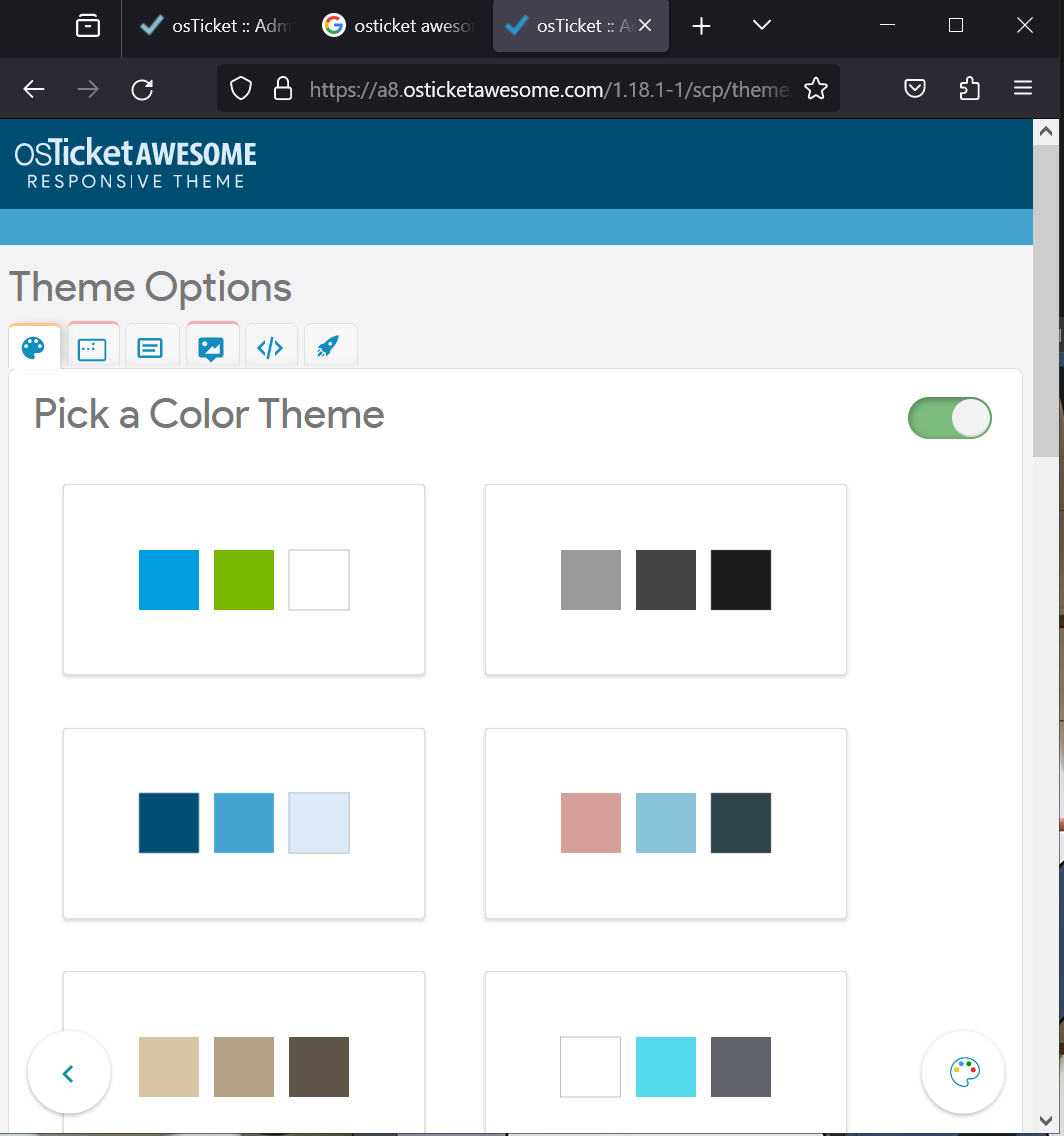
I am able to reproduce it in the demo. Select the blue theme and select the use solid color. No errors in the console logs. This did point me in the right direction for a workaround by just changing the theme to another default. Still not sure what is causing it just on that theme color pack.