
Have you checked these first?
Help us help you: include your environment details. We've made this easy for you. Use the Copy System Info button in Admin Panel › osAwesome › Diagnostics, then paste below.

Note: Never paste the contents of your ost-config.php file here; it holds your database credentials.
Two quick checks before posting: try clearing your browser cache, and press SHIFT+O on any Staff Panel page to enter Safe Mode (a stock osTicket with no enhancements). If the problem still shows in Safe Mode, it's in osTicket itself, not osTicket Awesome. But let us know about the issue either way.
Help us help you: include your environment details. We've made this easy for you. Use the Copy System Info button in Admin Panel › osAwesome › Diagnostics, then paste below.
This forum is public. Never post order numbers, full license keys, email addresses, or payment details.
This is the place for general questions about how billing and licensing work — renewals, activation, staging slots, plan differences, and what happens when a license lapses.
For anything tied to your specific account, refund, or payment, contact us directly instead.

Hello There,
After installing the theme, the thread topic is now showing and the top functions are not working.
All the yellow marks are not working expect the left side but they look transparent.
I've attached a screenshot 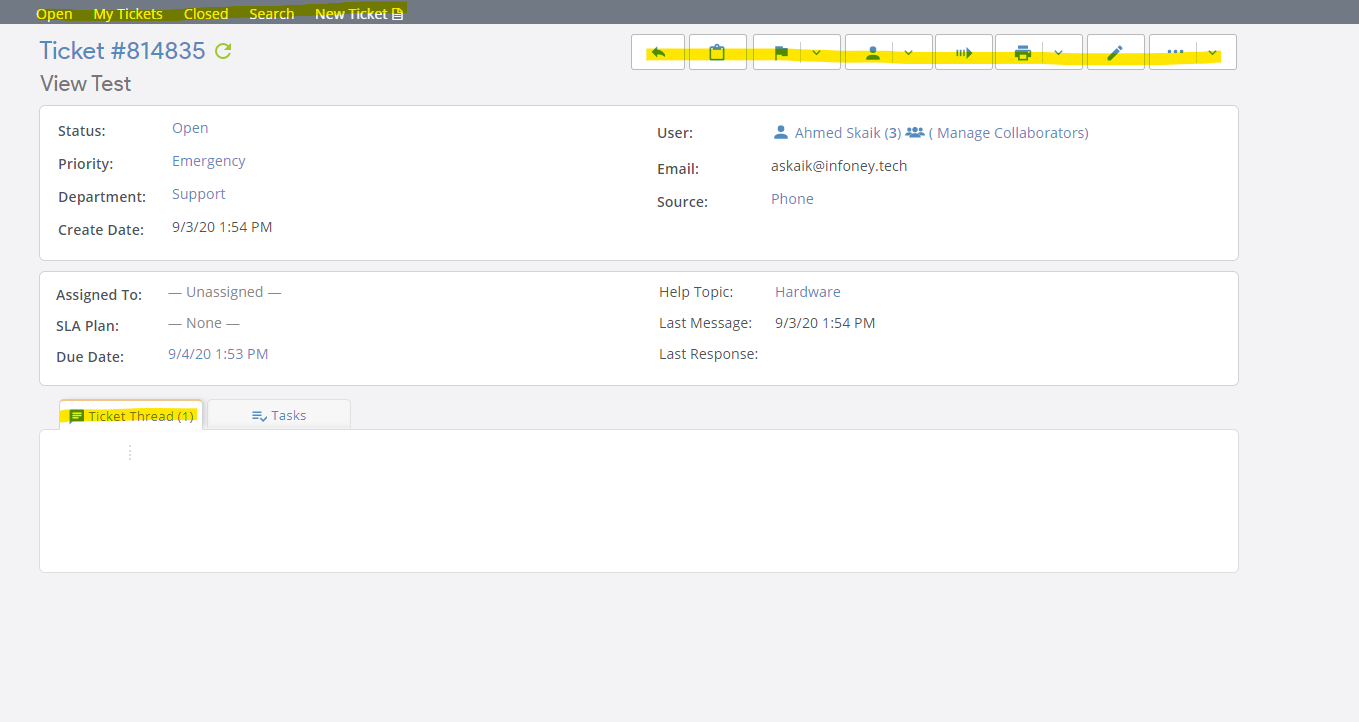

Yikes!
Have you tried clearing your browser cache?
Do you have any errors in your Apache log files?
Please paste your software information into your reply
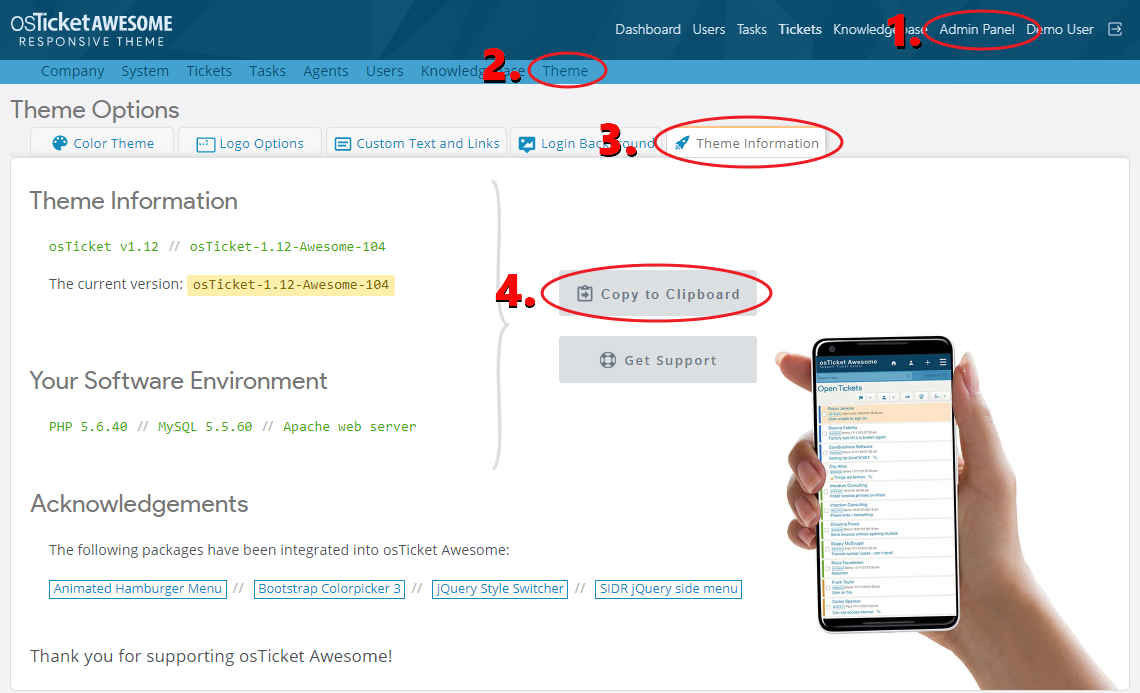
I've tried 3 different browsers and on mobile aswell.
Theme Information
osTicket v1.14.3 // osTicket-1.14.3-Awesome-101
The current version: osTicket-1.14.3-Awesome-101
PHP 7.3.16 // MySQL 5.6.40 // Apache web server
I will check Apache logs once I have PC access.
Thanks
Hi Again,
and there is only 1 error and related to another website
[Thu Sep 03 16:55:30.385205 2020] [:notice] [pid 14935] [client 216.189.146.30:43394] mod_hive matched URI http://www.askaik.biz/wp-login.php (/home/ahmeds63/public_html/askaik.biz/wp-login.php) with match 2, referer: https://www.askaik.biz/wp-login.php?action=register
nothing much
Hmmm I can't think what would cause that. Only one thing comes to mind... perhaps all the files didn't get extracted properly.
Please try downloading osTicket-1.14.3-Awesome-101.zip from the Downloads page and extracting it again. Overwrite the directories and files in your osTicket Awesome installation directory with the newly extracted files.
If you would like my assistance I am happy to take a look and get you sorted if you fill out this form with as much information as possible.
Would be great if you can take a look, I've filled the information and waiting for your feedback.
I'm looking at your installation now. Please email the OTP to info@osticketawesome.com.
Well, that was odd! I've never seen this issue before.
You had a new installation, a new database, and you had only created one ticket. And yet, something was corrupt within it.
I created a new database and went through the installation process.
Everything works now. And I created a new ticket without issue.
I'm really curious as to what went wrong. Can you think of anything unusual that you may have done on your end?
*(The new database uses the all of the same options as before... same name, same user, same password... the only difference is that there is a 2 at the end of the name. There is only one administrator account, using the credentials that you sent me. So you'll have to log into my account and create a new one for yourself and then delete mine.)
Well, I've just added all the departments and the help topics.
But I found this in my email
[SELECT 'open', count(task.id ) AS tasks FROM ost_task task WHERE task.flags & 1 != 0 AND ( (task.staff_id=1 AND task.flags & 1 != 0 ) OR ( task.team_id IN() AND task.flags & 1 != 0 ) OR task.dept_id IN(1,4) ) UNION SELECT 'overdue', count( task.id ) AS tasks FROM ost_task task WHERE task.flags & 1 != 0 AND task.flags & 2 != 0 AND ( (task.staff_id=1 AND task.flags & 1 != 0 ) OR ( task.team_id IN() AND task.flags & 1 != 0 ) OR task.dept_id IN(1,4) ) UNION SELECT 'assigned', count( task.id ) AS tasks FROM ost_task task WHERE task.flags & 1 != 0 AND task.staff_id = 1 AND ( (task.staff_id=1 AND task.flags & 1 != 0 ) OR ( task.team_id IN() AND task.flags & 1 != 0 ) OR task.dept_id IN(1,4) ) UNION SELECT 'closed', count( task.id ) AS tasks FROM ost_task task WHERE task.flags & 1 = 0 AND ( (task.staff_id=1 AND task.flags & 1 != 0 ) OR ( task.team_id IN() AND task.flags & 1 != 0 ) OR task.dept_id IN(1,4) ) ]
You have an error in your SQL syntax; check the manual that corresponds to your MySQL server version for the right syntax to use near ') AND task.flags & 1 != 0 ) OR task.dept_id IN(1,4) ) UNION SELECT 'overdue', c' at line 1
---- Backtrace ----
#0 (root)/include/mysqli.php(200): osTicket->logDBError('DB Error #1064', '[SELECT 'open',...')
#1 (root)/include/class.task.php(1684): db_query('SELECT 'open', ...')
#2 (root)/include/class.staff.php(652): Task::getStaffStats(Object(StaffSession))
#3 (root)/scp/tasks.php(132): Staff->getTasksStats()
#4 {main}
Weird. That seems to be related to this, although it was an issue with an earlier version of osTicket.
https://forum.osticket.com/d/97013-resolved-task-db-error-1064
I don't understand what could have caused the database issue, but hopefully it will remain in the past now.