
Have you checked these first?
Help us help you: include your environment details. We've made this easy for you. Use the Copy System Info button in Admin Panel › osAwesome › Diagnostics, then paste below.

Note: Never paste the contents of your ost-config.php file here; it holds your database credentials.
Two quick checks before posting: try clearing your browser cache, and press SHIFT+O on any Staff Panel page to enter Safe Mode (a stock osTicket with no enhancements). If the problem still shows in Safe Mode, it's in osTicket itself, not osTicket Awesome. But let us know about the issue either way.
Help us help you: include your environment details. We've made this easy for you. Use the Copy System Info button in Admin Panel › osAwesome › Diagnostics, then paste below.
This forum is public. Never post order numbers, full license keys, email addresses, or payment details.
This is the place for general questions about how billing and licensing work — renewals, activation, staging slots, plan differences, and what happens when a license lapses.
For anything tied to your specific account, refund, or payment, contact us directly instead.

Updated from 1.15.7 to 1.16.1. If I have one plugin it will work correctly, however when adding another and trying to select it or go to the settings it will send me to the same one no matter which I choose.
LDAP plugin and the filesystem attachment plugin are the only two I need, but I have tested with others.
I tried just manually inserting the settings into the DB, but this doesn't seem to work. Even with the correct settings, LDAP and other plugins will break.
It shows the name for the plugin in the spot, but the settings page for the other plugin as shown in the picture.
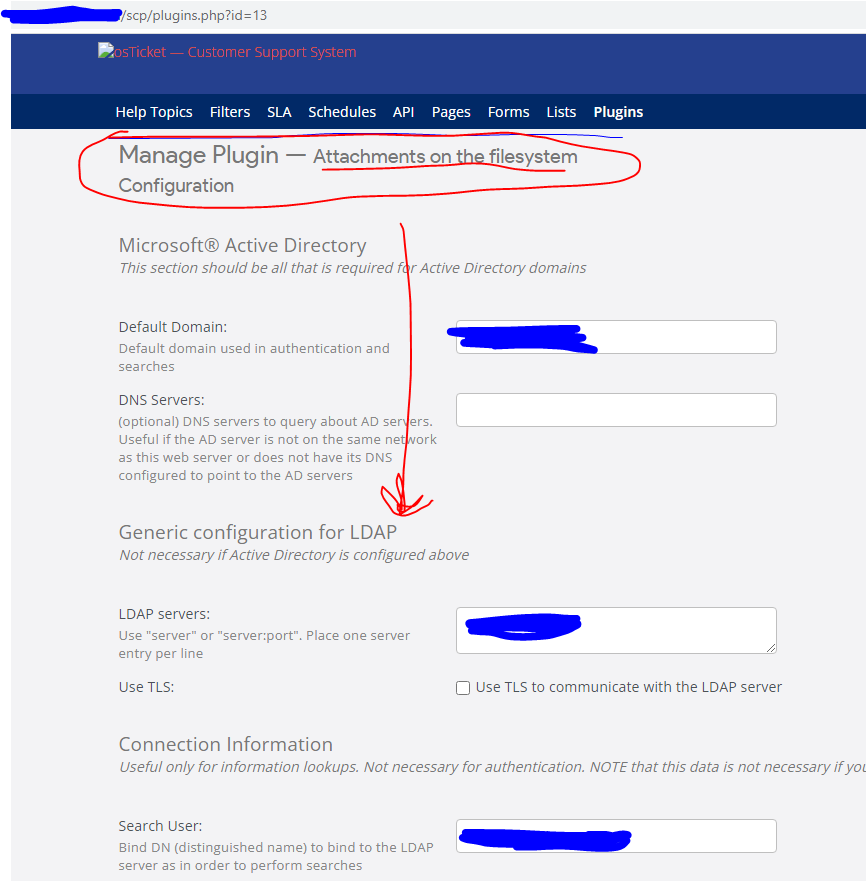
The only file from the old version is the ost-config.php.

NMITHelp - having the exact same problem - even tried 16.2 no luck. Cannot progress with upgrading our live box until I can fix this. I did upgrade our xampp build to the latest version, import db as well - no luck.
Actually mine is a mistype. I meant 1.16.2 also. Thank you for confirming it isn't just us.

I can't reproduce this issue in the demo, even if I install and enable the LDAP plugin.
If either of you guys would like me to investigate further I will need access to one of both of your installations.
Please submit this form.
Good morning
Having had the same problem I found it was PHP 8.1 that was the issue - 1.16.x is currently not compatible with 8.1 so downgraded PHP to 8.0
Worked first time.
Thanks, Phil
Thank you for the update, Phil.
We've seen at least a couple issues solved in this forum by simply downgrading to PHP 8.0. I'm going to have to remember to suggest that right away when these oddball issues arise.