
Have you checked these first?
Help us help you: include your environment details. We've made this easy for you. Use the Copy System Info button in Admin Panel › osAwesome › Diagnostics, then paste below.

Note: Never paste the contents of your ost-config.php file here; it holds your database credentials.
Two quick checks before posting: try clearing your browser cache, and press SHIFT+O on any Staff Panel page to enter Safe Mode (a stock osTicket with no enhancements). If the problem still shows in Safe Mode, it's in osTicket itself, not osTicket Awesome. But let us know about the issue either way.
Help us help you: include your environment details. We've made this easy for you. Use the Copy System Info button in Admin Panel › osAwesome › Diagnostics, then paste below.
This forum is public. Never post order numbers, full license keys, email addresses, or payment details.
This is the place for general questions about how billing and licensing work — renewals, activation, staging slots, plan differences, and what happens when a license lapses.
For anything tied to your specific account, refund, or payment, contact us directly instead.

Hey there,
For some reasons I am experiencing this random bug where it doesn't display the user count for certain organizations (though they're holding users).
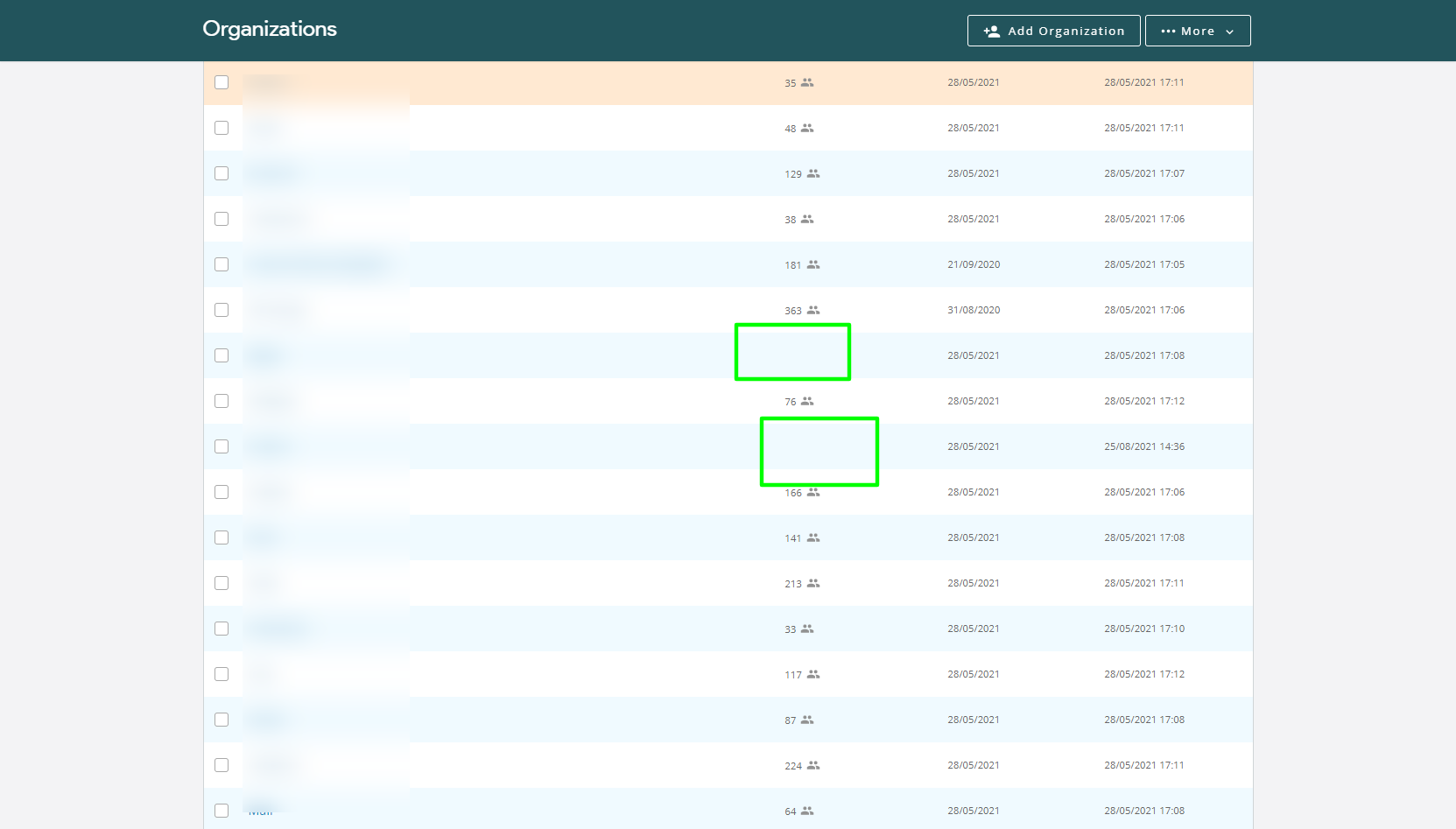
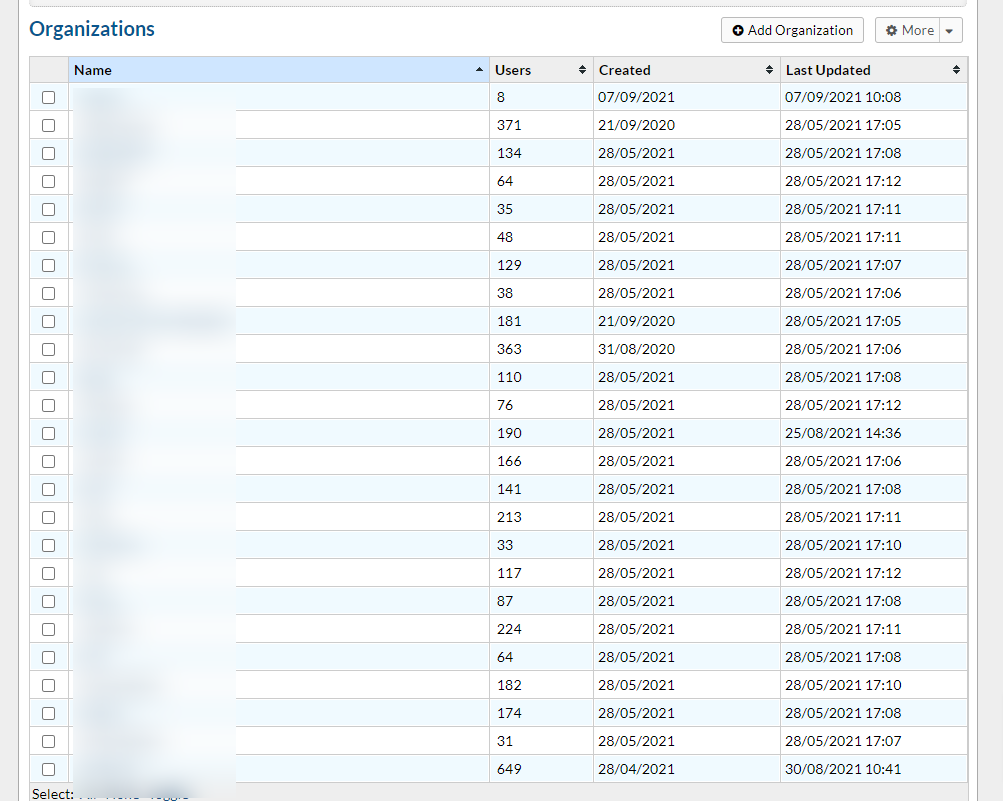
I've check the un-themed version of our helpdesk and the user-count appears, so it's really linked to the OSTA theme.
When inspect the user count for those missing, I see this class showing up: class="user-count-hide". Whereas this class isn't present for the other ones.
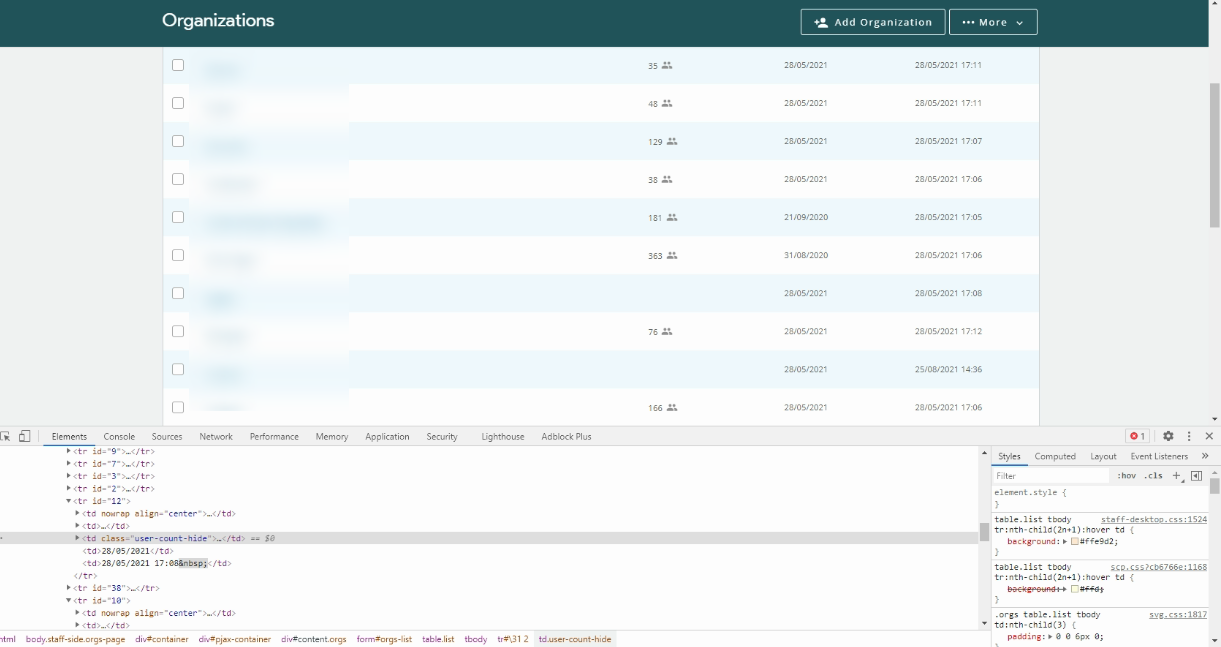
For one organization showing the same issue, the user-count finally appeared when I added new users. I tried this technique for the other organizations but it didn't solve it....
FYI: all my users where imported by organizations.
Help?
<hr />
Theme Information
osTicket v1.15.2 // osTicket-1.15.1-Awesome-102
The current version: osTicket-1.15.3.1-Awesome-101Download osTicket-1.15.3.1-Awesome-101
Copy to Clipboard
Get Support
Your Software Environment
PHP 7.4.20 // MySQL 5.7.34 // Apache/2.4.38 (Debian) web server

It's extremely frustrating that this has gone on as long as it has. It's a simple bug to fix. The code is looking for the digit "0" in the cell, which means that any org with a multiple of 10 users (i.e. 20, 30, etc) will be hidden.
To fix, edit the include/staff/orgs.inc.php file and remove this line at the end..
$('table.list td:nth-child(3):contains("0")').addClass('user-count-hide');
It'll show 0 users if any of your ORGs have none.

Hi JulienVDC,
Apologies for the very long delay on this one. This fell off my radar and I'm sorry about that.
Steve, excellent diagnosis, thank you. You nailed it. The :contains("0") selector is doing a substring match, so any organization with a user count containing the digit 0 (10, 20, 30, 100, etc.) gets incorrectly hidden.
Rather than removing the line entirely (which would also remove the intended styling for organizations with genuinely zero users), a slightly more precise fix is to replace this line in include/staff/orgs.inc.php:
$('table.list td:nth-child(3):contains("0")').addClass('user-count-hide');
with:
$('table.list td:nth-child(3)').filter(function(){ return $.trim($(this).text()) === '0'; }).addClass('user-count-hide');
This does an exact match on "0" instead of a substring match, so it will only hide organizations that truly have zero users.
This fix will be included in the next release (Awesome-104).
Thanks again for tracking this down, Steve.