
Have you checked these first?
Help us help you: include your environment details. We've made this easy for you. Use the Copy System Info button in Admin Panel › osAwesome › Diagnostics, then paste below.

Note: Never paste the contents of your ost-config.php file here; it holds your database credentials.
Two quick checks before posting: try clearing your browser cache, and press SHIFT+O on any Staff Panel page to enter Safe Mode (a stock osTicket with no enhancements). If the problem still shows in Safe Mode, it's in osTicket itself, not osTicket Awesome. But let us know about the issue either way.
Help us help you: include your environment details. We've made this easy for you. Use the Copy System Info button in Admin Panel › osAwesome › Diagnostics, then paste below.
This forum is public. Never post order numbers, full license keys, email addresses, or payment details.
This is the place for general questions about how billing and licensing work — renewals, activation, staging slots, plan differences, and what happens when a license lapses.
For anything tied to your specific account, refund, or payment, contact us directly instead.

When creating a custom form, I find the Long Text box isn't formatted at 4 lines, but more importantly never has an end.
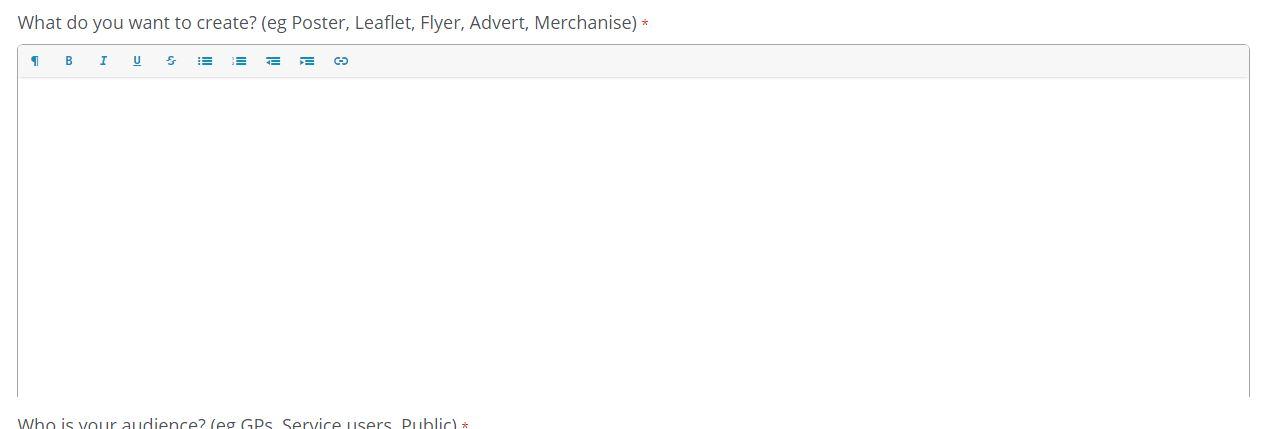
I think we may have identified a CSS Fix, but wondered if you knew about it already or not?
.redactor-editor {

    font-size: 11pt;

    height: 300px;

    border: .5px solid #A5A4A4!important;

    border-top: 0px!important;

}
This seems to fix it, kind of, but adds a straight cornered border, we suspect there should be a rounded corner border?

Thank you for taking the time to report this and offering your fix, @mfoston.
Unfortunately I can't seem to reproduce this glitch, however.
I'm not exactly sure what you mean by Long Text box. I think you mean Long Answer, yes?
Here are the steps I think you are referring to:
Admin Panel > Manage > Forms > Add New Custom Form > Form Fields fields available where this form is used > Type > Long Answer
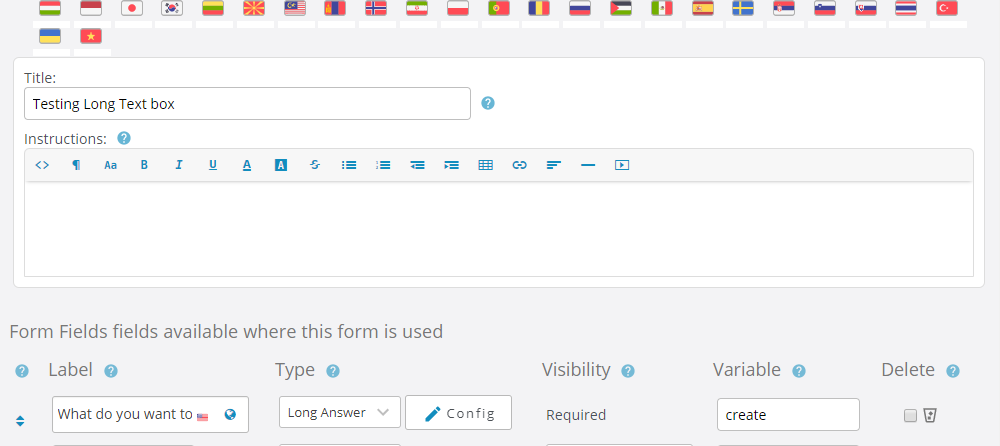
I then go to Help Topics > Forms and add my new form to a help topic.
When I open a new ticket the text box displays as I would expect:
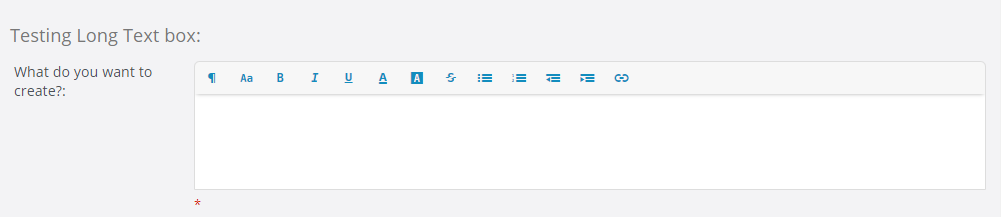
Am I missing something?
Yes, those are exactly the steps, and I've just created a new custom form with just a Long Answer and I see the same issue.
This suggests it may be something to do with my setup, I'm going to try and tinker with a few things and see if I can resolve it.
I think it has me beaten, my CSS skills are very limited.
I could supply a link to the site if that will help? Not sure if to do it here, or via email.
Let me know, whilst it doesn't stop it working, I know I'll get moaned at because of the way it looks!
Also, my CSS fix didn't work, I think for mine to work, I'd have to edit your css and remove one line.
FOUND IT! 🙂
If in the field config you have HTML input allowed the box breaks.
This allows me to fix it, because I don't need them to enter HTML, but might help you see the issue?
I simply removed the checkbox and it fixed it.

I still can't reproduce the issue on my end.
With Allow HTML selected the redactor toolbar is present, when deselected it is not.
So unfortunately your users will not have access to the formatting tools that the toolbar provides:

If you decide at some point that you would like me to investigate further, I will need you to create a temporary agent account (Admin Panel > Agents > Add New Agent) using info@osticketawesome.com. Be sure to give the account full administrative privileges.
But if you're happy with this solution, great!
I'll marked this Resolved for now, but I am happy to investigate further if you wish me to do so.