
Have you checked these first?
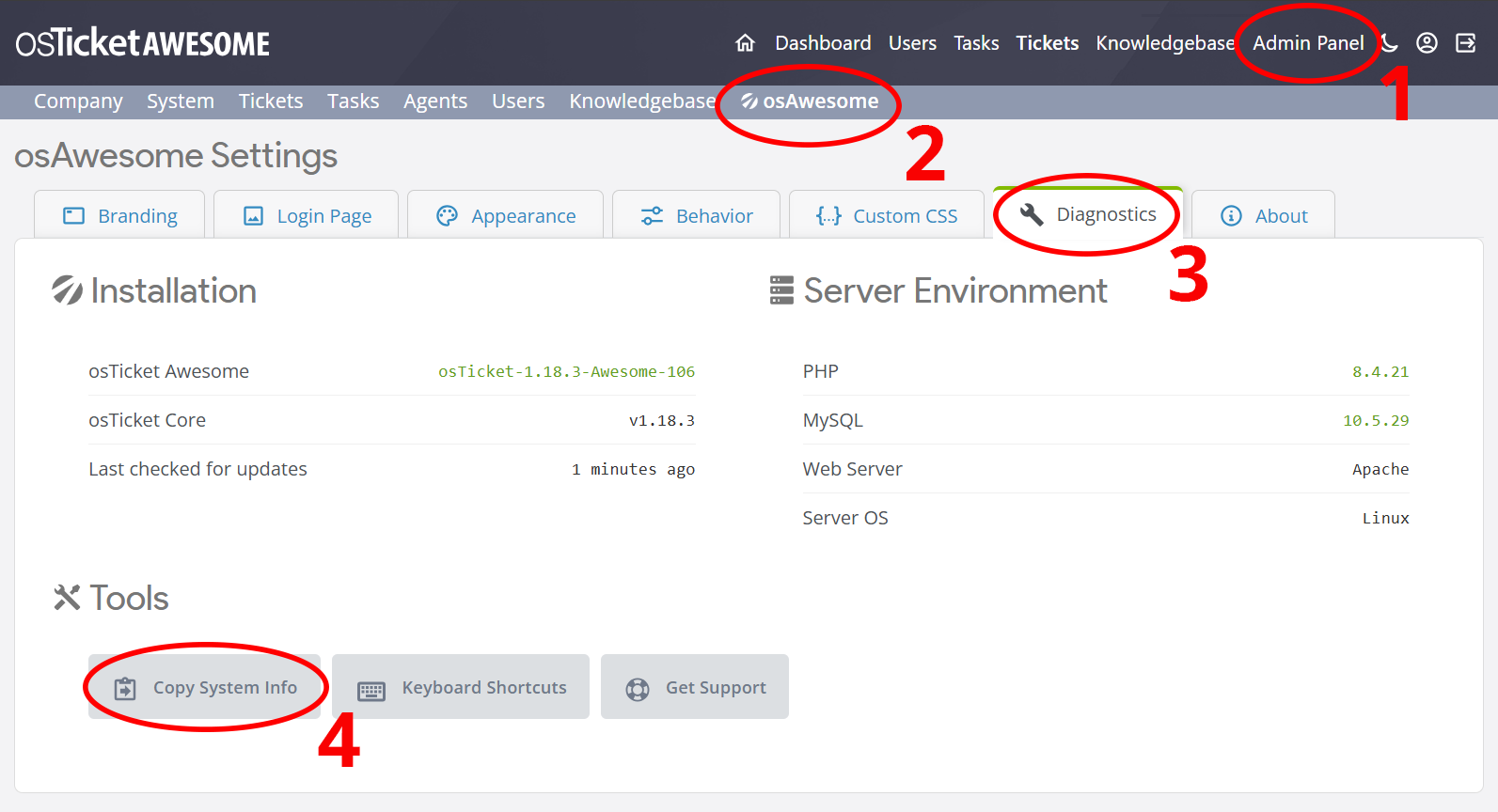
Help us help you: include your environment details. We've made this easy for you. Use the Copy System Info button in Admin Panel › osAwesome › Diagnostics, then paste below.
Note: Never paste the contents of your ost-config.php file here; it holds your database credentials.
Two quick checks before posting: try clearing your browser cache, and press SHIFT+O on any Staff Panel page to enter Safe Mode (a stock osTicket with no enhancements). If the problem still shows in Safe Mode, it's in osTicket itself, not osTicket Awesome. But let us know about the issue either way.
Help us help you: include your environment details. We've made this easy for you. Use the Copy System Info button in Admin Panel › osAwesome › Diagnostics, then paste below.
This forum is public. Never post order numbers, full license keys, email addresses, or payment details.
This is the place for general questions about how billing and licensing work — renewals, activation, staging slots, plan differences, and what happens when a license lapses.
For anything tied to your specific account, refund, or payment, contact us directly instead.

Hello,
Is there a way to get an up arrow on tickets like you have in OsTicket? it seems to be missing? it would be handy.
Also, I have noticed that when changing the login logo on the agent page, it turns on the logo on the main agent page tiny

Hi
Scroll to top has been implemented in the latest release (105)
It is tagged to the bottom of the page so you have to scroll down to the very bottom to see it. It would be better if this was floating as you scrolled down the page
I agree, that would be much better!

Indeed, a "back to top" button has been implemented in 105. And you only have to scroll down 600 pixels for it to become visible.
Not on my installation. I have to scroll to the bottom of the message thread before the button appears (Chrome / windows).
I tried attaching an animated gif but it did not work, so see on this link: Scroll to top gif
Thanks for the animation. Your "back to top" button is definitely messed up! (It is also meant to be on the left side of the page).
Have you tried clearing your browser cache?
Do you see the same glitch in the demo?
Yep - cache issue. Strange I had cleared cache first. but done it again and all seems fine (I have read that Chrome is often very reluctant to clear cache fully at times and can take a couple of goes)
Brilliant implementation-thanks
Glad to help!

Just got Awesome working for me. I can see the up arrow on my computer browser but not on my browser on my phone. Is this by design or is something wrong with my install?
Hi boxer2t,
You're right, I have the back to top button hidden in the mobile layout.
If you want to enable it, add the following code to /osta/user-styles.css:
@media screen and (max-width: 760px) {
#scroll-to-top {
display: inline;
}
}
What do you guys think... should the back to top button be shown in the mobile layout, or is it superfluous?
Hi All,
Is there a way to add this without upgrading to the latest version?
The guy who normally helps with this has left and now I'm not sure how to do it!
If it were a simple thing I'd be happy to pass along a tidbit. But in this instance it would require multiple edits to multiple files, I would need to test it against the version that you are running, compose instructions, etc. So, no.
P.S. Keep in mind that I do offer a Professional Installation Service for a flat rate of $70 US. It may not be worth it to you for just this one feature, but perhaps you'll want help upgrading to a newer version some time in the future.
Just a quick note to let you guys know that the Back To Top icon is displayed in mobile layout by default in osTicket-1.12.3-Awesome-102, which is available now.