
Have you checked these first?
Help us help you: include your environment details. We've made this easy for you. Use the Copy System Info button in Admin Panel › osAwesome › Diagnostics, then paste below.

Note: Never paste the contents of your ost-config.php file here; it holds your database credentials.
Two quick checks before posting: try clearing your browser cache, and press SHIFT+O on any Staff Panel page to enter Safe Mode (a stock osTicket with no enhancements). If the problem still shows in Safe Mode, it's in osTicket itself, not osTicket Awesome. But let us know about the issue either way.
Help us help you: include your environment details. We've made this easy for you. Use the Copy System Info button in Admin Panel › osAwesome › Diagnostics, then paste below.
This forum is public. Never post order numbers, full license keys, email addresses, or payment details.
This is the place for general questions about how billing and licensing work — renewals, activation, staging slots, plan differences, and what happens when a license lapses.
For anything tied to your specific account, refund, or payment, contact us directly instead.

Is it possible to change the colors of the priority status?
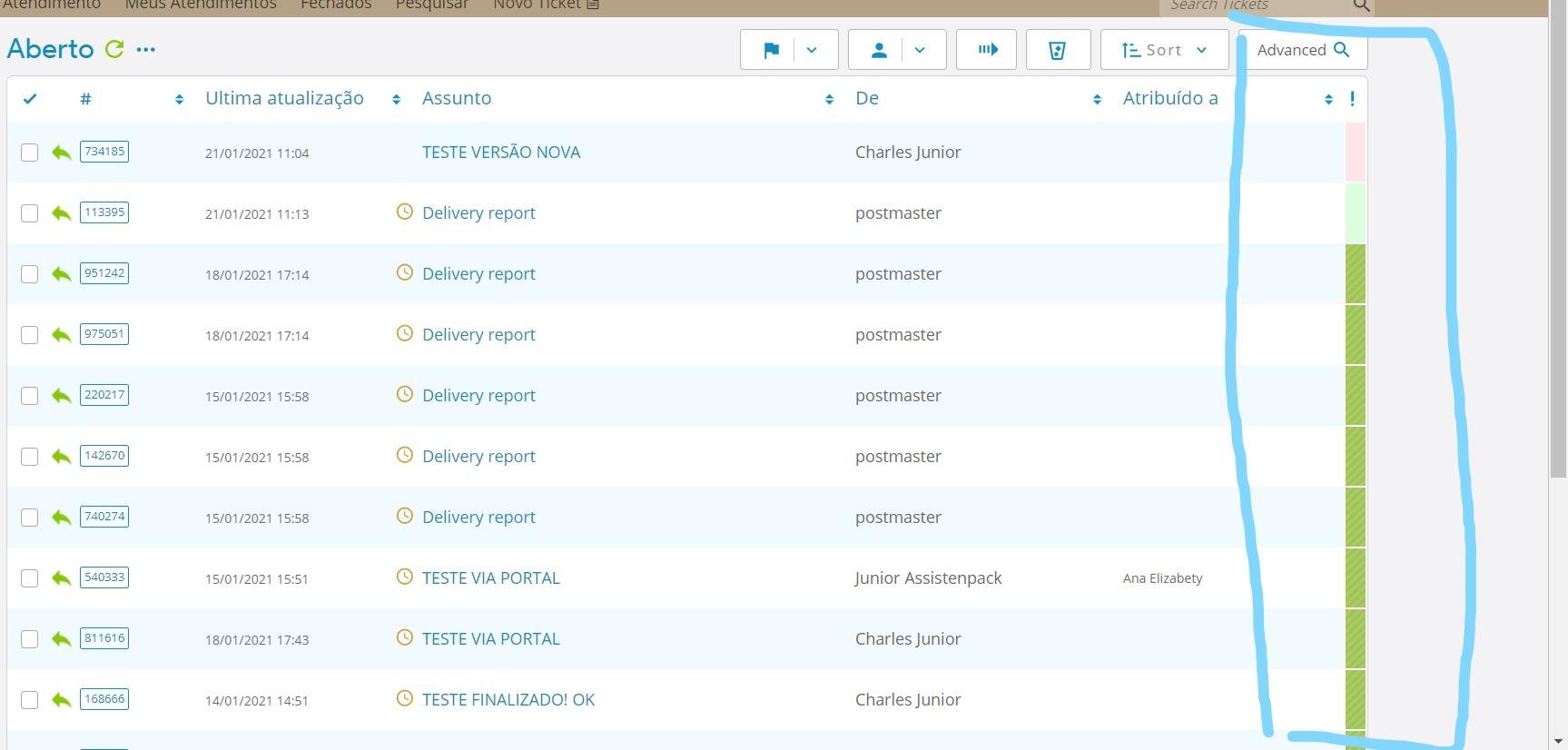

I see that the priority colors are not showing up as intended.
Is this a new installation? You may need to clear your browser cache.
But if you are actually asking how to modify the colors to something of your own choosing, I would have to look into it. I can't quite recall but I don't think it is a simple answer.
Infelizmente as cores não são padronizadas, mas se você tem uma opção de mudar de cor, você poderia nos dizer como mudá-las?
Unfortunately the colors are not standardized, but if you have an option to change colors, could you tell us how to change them?
I've tried everything here but it didn't work out, still with the nonstandard colors.
Já tentei de tudo aqui mas não deu certo, continua com as cores fora do padrão.
Sorry for the late reply.
Please fill out this form (at least sections 1 and 2) and I will take a look.
Form has already been filled!
Hey Charles it looks like you renamed the priorities.
Did you not realize that you broke the priority colors when you modified the ticket_priority table in your database?
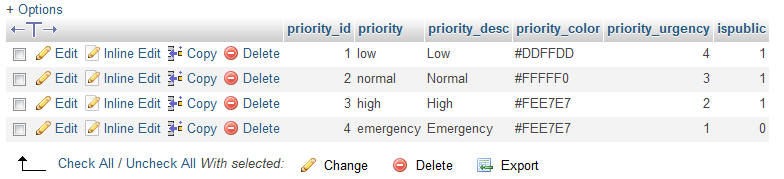
For example, I see that Emergency is now Emergência.
I suppose it is probably okay to rename priority_desc, as long as you keep priority the same.
osTicket Awesome requires the original names, for example...
class="osta_priority osta_priority_emergency"
is now...
class="osta_priority osta_priority_emergncia"
...in your installatio
This is breaking osTicket Awesome's CSS code.
So you'll probably want to at least change the priority_desc entries back to their default settings.
I might not completely understand everything you've been asking due to the language barrier. But if you want to modify how the priority colors work it would require custom code / paid support.
Good morning,
Could you fix this error?
And what about the colors, which solution appear in the standard colors?
Looking more closely here, I went back to the priority_desc pattern, now that the colors are ok.
Could you help me translate the priority value?
As the picture!
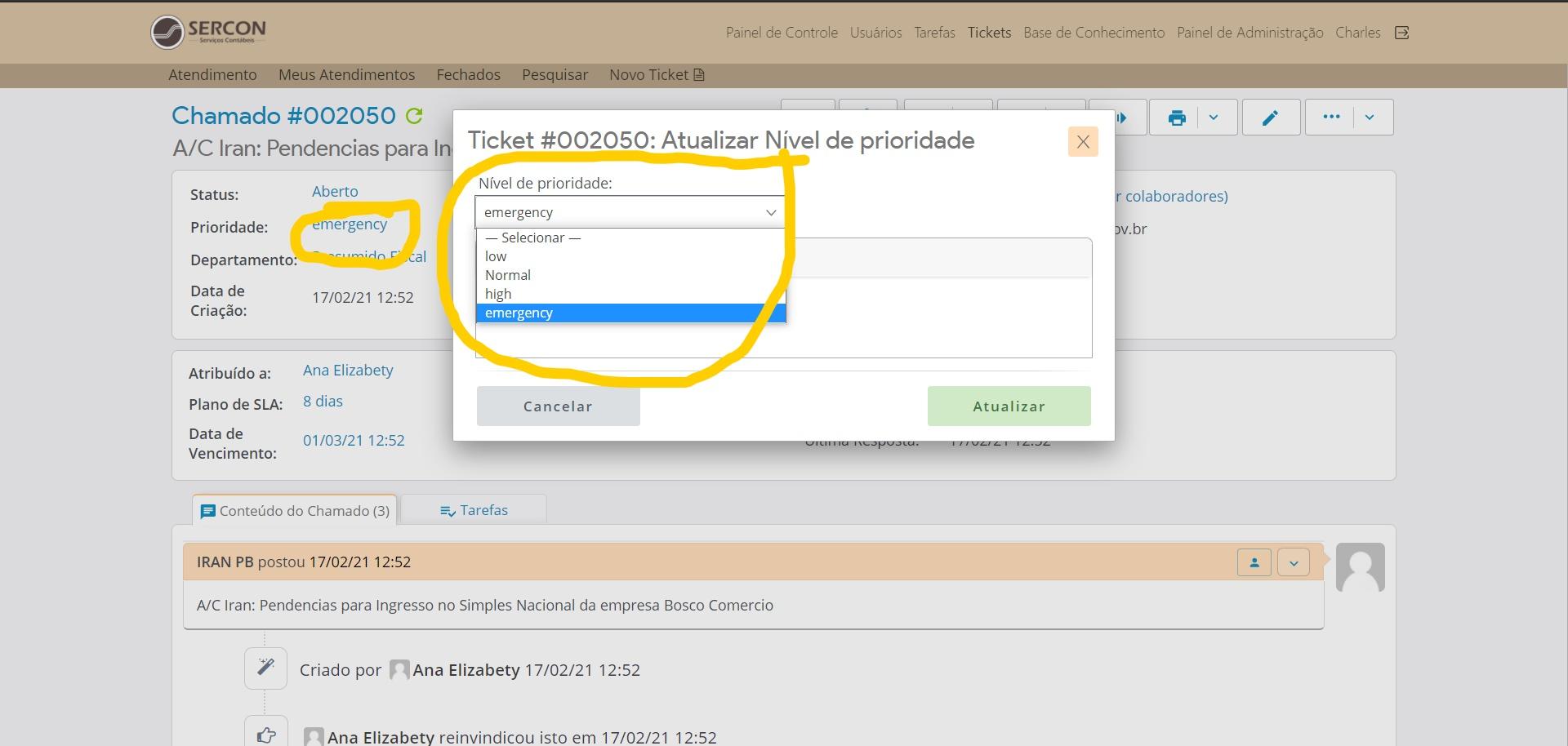
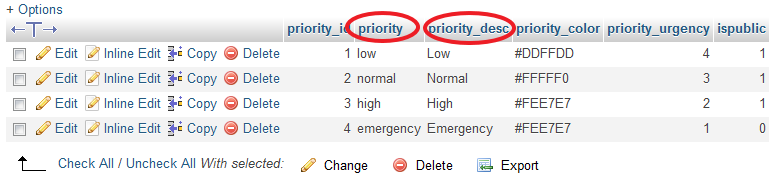
You cannot change priority, or you will break the code.
But I think you can change priority_desc to whatever you want (for example, 'Emergência').
I tried to do the translation using priority_desc, but then the problem with the colors comes back.
?