Have you checked these first?
Help us help you: include your environment details. We've made this easy for you. Use the Copy System Info button in Admin Panel › osAwesome › Diagnostics, then paste below.

Note: Never paste the contents of your ost-config.php file here; it holds your database credentials.
Two quick checks before posting: try clearing your browser cache, and press SHIFT+O on any Staff Panel page to enter Safe Mode (a stock osTicket with no enhancements). If the problem still shows in Safe Mode, it's in osTicket itself, not osTicket Awesome. But let us know about the issue either way.
Help us help you: include your environment details. We've made this easy for you. Use the Copy System Info button in Admin Panel › osAwesome › Diagnostics, then paste below.
This forum is public. Never post order numbers, full license keys, email addresses, or payment details.
This is the place for general questions about how billing and licensing work — renewals, activation, staging slots, plan differences, and what happens when a license lapses.
For anything tied to your specific account, refund, or payment, contact us directly instead.

Hello,
I have purchased this theme and now I need to add on the main page the GDPR cookie bar. Can you help me?
I added in the header the link to the external js lib (osta\inc\client-head.html)
<link rel="stylesheet" type="text/css" href="https://cdn.jsdelivr.net/npm/cookieconsent@3/build/cookieconsent.min.css" />
Then I added in (osta\inc\client-foot.html)
<script src="https://cdn.jsdelivr.net/npm/cookieconsent@3/build/cookieconsent.min.js" data-cfasync="false"></script>
<script>
window.cookieconsent.initialise({
"palette": {
"popup": {
"background": "#edeff5",
"text": "#838391"
},
"button": {
"background": "#4b81e8"
}
},
"theme": "classic",
"content": {
"message": "We use cookies to ensure that we give you the best experience on our website. By continuing your navigation, we assume that you accept the use of these cookies. For more information, please refer to our Privacy Policy.",
"href": "https://www.mywebsite.com/privacy/"
}
});
</script>
But it doens't work. If I build a simple index html page it works....is there some overriding to be done? or can you suggest how to implement a simple bar where i can declare the cookies and once the user click ok disappears??

Hi @airbus,
This is a bit of a hectic time for me so please don't expect immediate results from me. Maybe someone else can help.
But my first question would be: do you need the GDPR message to display in the Client Portal only, or for both Clients and Staff?
Only client home page for now...
Hello guys...do you have any precoocked solution? it is becoming mandatory requirement 🙁
Please...it is becoming very urgent...can you share some advice??
Hello Stevland,
can you give some advice?....this thing is becoming quite urgent...
Hi @airbus,
I have two pieces of good news for you.
The first is that osTicket / osTicket Awesome use temporary session cookies, but these are not persistent and they do one contain any personal information or tracking data.
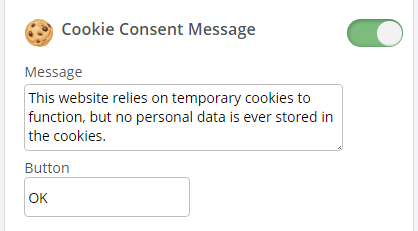
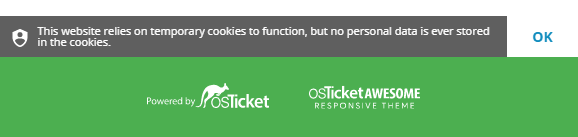
Also, I am putting the finishing touches and testing a solution for this that will be included in the next release. I can't say when the release date will be as I have a lot to do before then. But you will receive an email notification when it is ready.