
Have you checked these first?
Help us help you: include your environment details. We've made this easy for you. Use the Copy System Info button in Admin Panel › osAwesome › Diagnostics, then paste below.

Note: Never paste the contents of your ost-config.php file here; it holds your database credentials.
Two quick checks before posting: try clearing your browser cache, and press SHIFT+O on any Staff Panel page to enter Safe Mode (a stock osTicket with no enhancements). If the problem still shows in Safe Mode, it's in osTicket itself, not osTicket Awesome. But let us know about the issue either way.
Help us help you: include your environment details. We've made this easy for you. Use the Copy System Info button in Admin Panel › osAwesome › Diagnostics, then paste below.
This forum is public. Never post order numbers, full license keys, email addresses, or payment details.
This is the place for general questions about how billing and licensing work — renewals, activation, staging slots, plan differences, and what happens when a license lapses.
For anything tied to your specific account, refund, or payment, contact us directly instead.

When I try to go this section for viewing instructions ( https://osticketawesome.com/installation-instructions/), every option just shows a screen saying that you'll be in touch, without actually giving the instructions?

I wouldn't have realized there was a problem if you hadn't of reported it. Thank you.
The Installation Instructions conditional logic form is working again.
Good morning,
Thank you for the response. I have just checked it and what happens now is I get two buttons after selecting all the options: "Instructions" and "Submit".
Both of these options take me to the below page:
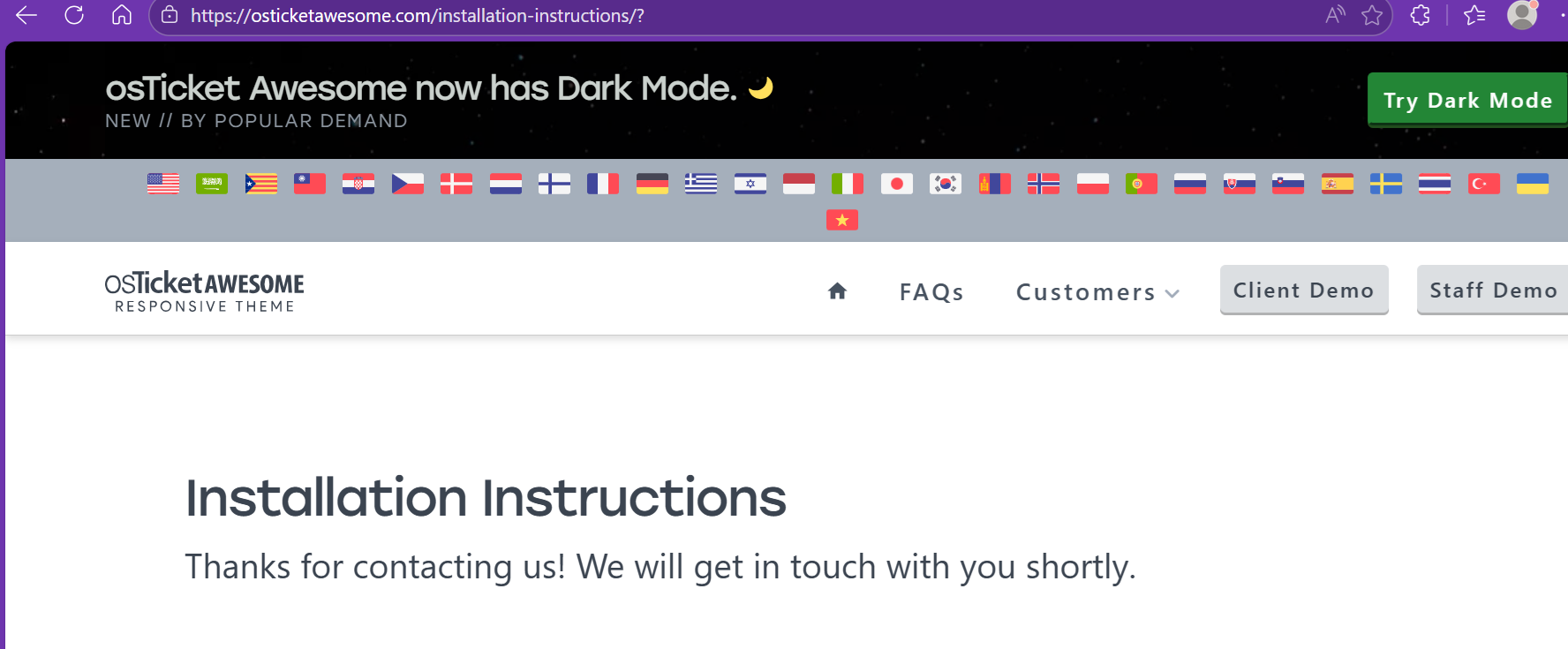

Hello. I’ve had the same problem for quite some time. I get a message "We will get in touch..." and nothing happens.
Has anyone got links to the instructions?
Seems to be an over complicated way of delivering something that could be so simple. There must be like 3 or 4 sets of instructions. Surely they could just be posted.
I have bought the theme and it's still under two years.
I just want to move my OST Awesome installation to a new host and I've forgotten what I did last time or may do it afresh as I am installing from scratch and can load the data from my existing install thereafter.
I am in the middle of migrating my entire web server. As soon as that is complete I will fix the form again. But for now, here are all of the instructions:
Upgrading from osTicket to osTicket Awesome, using Linux, installing to a subdomain
https://osticketawesome.com/installation-instructions/osticket-to-osticket-awesome-linux-subdomain/
Upgrading from osTicket to osTicket Awesome, using Linux, installing to a directory
https://osticketawesome.com/installation-instructions/osticket-to-osticket-awesome-linux-directory/
Upgrading from osTicket to osTicket Awesome, using Windows IIS, installing to a subdomain
https://osticketawesome.com/installation-instructions/osticket-to-osticket-awesome-windows-iis-subdomain/
Upgrading from osTicket to osTicket Awesome, using Windows IIS, installing to a directory
https://osticketawesome.com/installation-instructions/osticket-to-osticket-awesome-windows-iis-directory/
Updating osTicket Awesome (already installed in a subdomain on a Linux server)
https://osticketawesome.com/installation-instructions/osticket-awesome-upgrade-linux-subdomain/
Updating osTicket Awesome (already installed in a directory on a Linux server)
https://osticketawesome.com/installation-instructions/osticket-awesome-upgrade-linux-directory/
Updating osTicket Awesome (already installed in a subdomain on a Windows IIS server)
https://osticketawesome.com/installation-instructions/osticket-awesome-upgrade-windows-iis-subdomain/
Updating osTicket Awesome (already installed in a directory on a Windows IIS server)
https://osticketawesome.com/installation-instructions/osticket-awesome-upgrade-windows-iis-directory/
First Time Installing osTicket or osTicket Awesome, using Linux, installing to a subdomain
https://osticketawesome.com/installation-instructions/first-time-installing-osticket-awesome-linux-subdomain/
First Time Installing osTicket or osTicket Awesome, using Linux, installing to a directory
https://osticketawesome.com/installation-instructions/first-time-installing-osticket-awesome-linux-directory/
First Time Installing osTicket or osTicket Awesome, using Windows IIS, installing to a subdomain https://osticketawesome.com/installation-instructions/first-time-installing-osticket-awesome-windows-iis-subdomain/
First Time Installing osTicket or osTicket Awesome, using Windows IIS, installing to a directory
https://osticketawesome.com/installation-instructions/first-time-installing-osticket-awesome-windows-iis-directory/