
Have you checked these first?
Help us help you: include your environment details. We've made this easy for you. Use the Copy System Info button in Admin Panel › osAwesome › Diagnostics, then paste below.

Note: Never paste the contents of your ost-config.php file here; it holds your database credentials.
Two quick checks before posting: try clearing your browser cache, and press SHIFT+O on any Staff Panel page to enter Safe Mode (a stock osTicket with no enhancements). If the problem still shows in Safe Mode, it's in osTicket itself, not osTicket Awesome. But let us know about the issue either way.
Help us help you: include your environment details. We've made this easy for you. Use the Copy System Info button in Admin Panel › osAwesome › Diagnostics, then paste below.
This forum is public. Never post order numbers, full license keys, email addresses, or payment details.
This is the place for general questions about how billing and licensing work — renewals, activation, staging slots, plan differences, and what happens when a license lapses.
For anything tied to your specific account, refund, or payment, contact us directly instead.

I use a TON of "long answer" fields in my forms. This is necessary due to the nature of requests we handle.
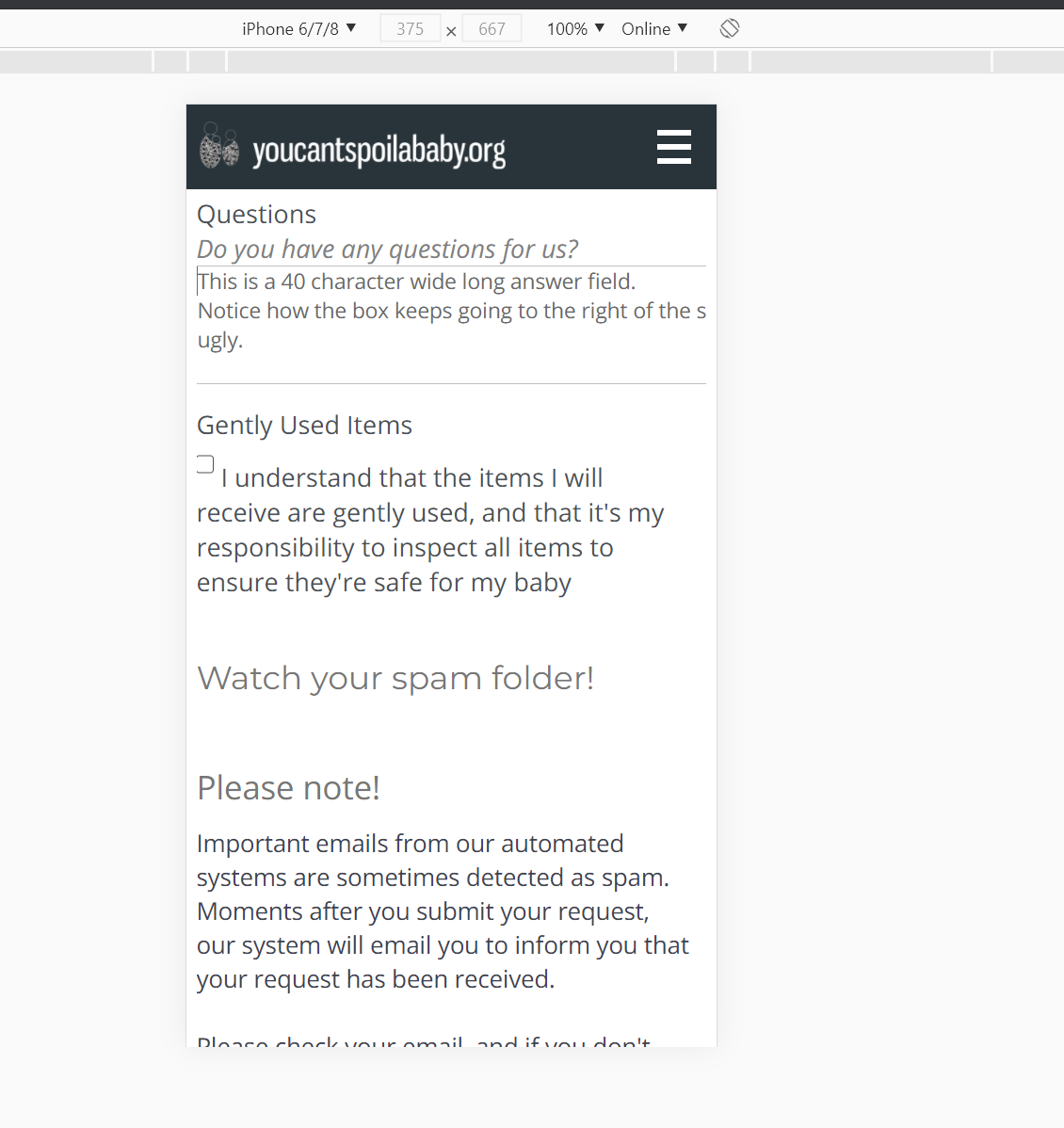
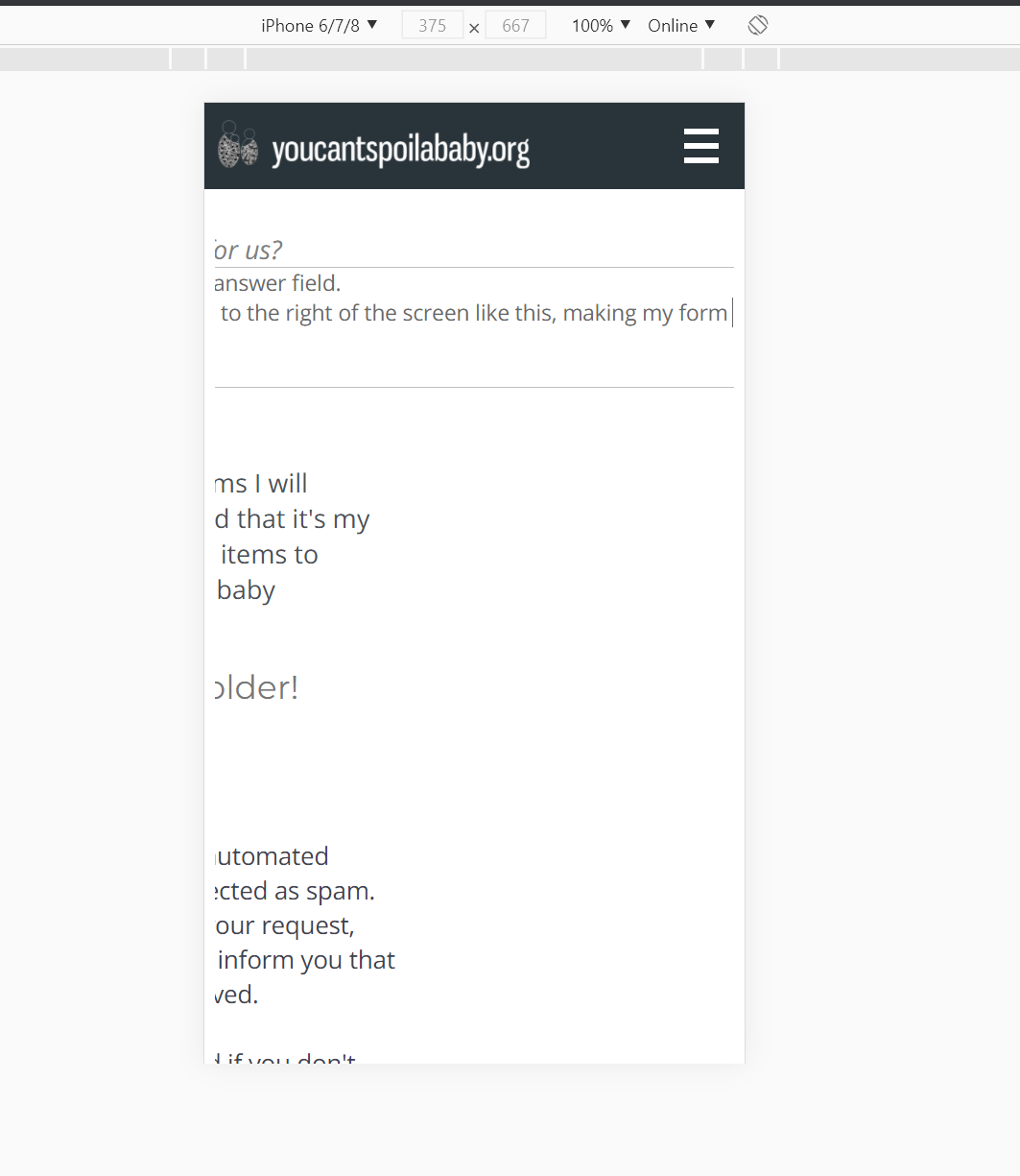
When viewing a new ticket page with "long answer" fields, they extend past the width of the page.
I anticipate this has something to do with my character width setting on the form's field.
How do you recommend solving this in a way that will work nicely for all client devices?
Oh - forgot this:
osTicket v1.14.3 // osTicket-1.14.3-Awesome-102a
PHP 7.2.24 // MySQL 5.5.65 // Apache/2.4.34 (Red Hat) OpenSSL/1.0.2k-fips mod_wsgi/3.4 Python/2.7.5 PHP/7.2.24 web server

I can't reproduce this issue on my end.
But, if you are willing to grant me temporary admin access, I'd be happy to take a look and figure out what is going on with your installation.
If so, please fill out the contact information section and the Administrator Account username and password section of this form.
FYI - I've noticed the behaviour is only happening with non-HTML "Long Answer" boxes. If I enable HTML, it seems to behave as expected.
Another piece of info that might help:
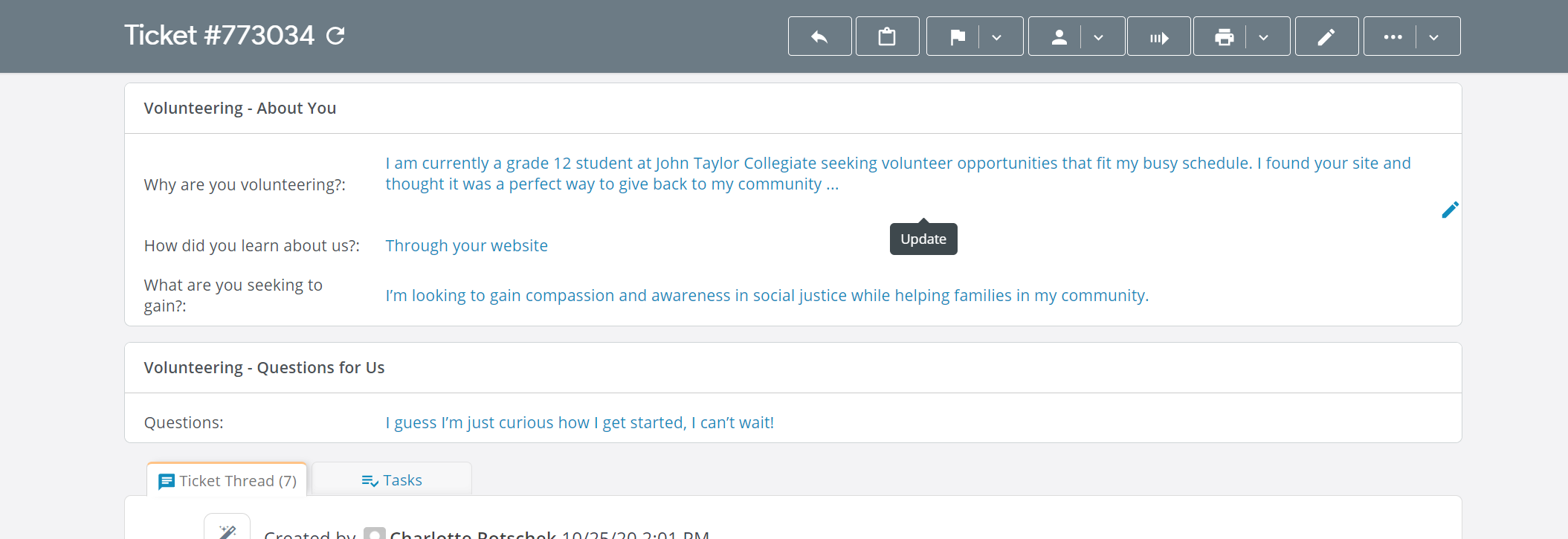
These same non-HTML long-answer text boxes are not fully visible and not editable by staff when examining the ticket. They click the pencil near the field below, and nothing happens. I can reproduce this and see the same thing our staff observe.
The pencil near the content doesn't work, and the content is cut-off with the ellipses:
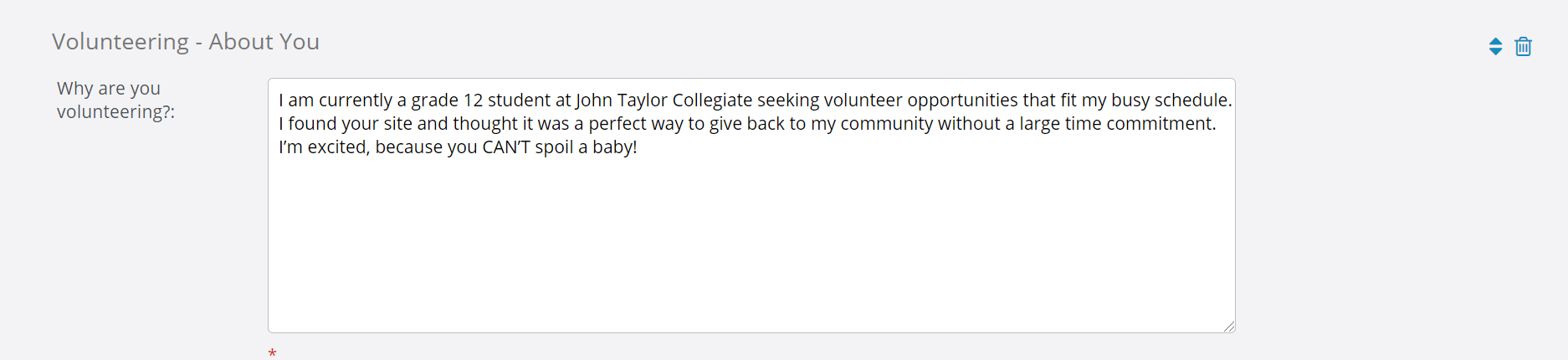
However, when they click the edit pencil at the TOP of the page, it takes them to a page where they CAN see the content (and edit it should they need to). I resized the box below to show the content.
Sorry for the delayed response. I see you opened another post regarding this issue so I will mark this one as resolved and respond to you over there.
Sure, thanks!
Hi @jdelisle,
I logged into your installation and fixed the "long answer" fields. I also took the liberty of fixing a few other minor layout irregularities that I observed in your forms.
For now I put my tweaks in your Custom CSS.
These tweaks will be integrated into the next release, so the next time you upgrade you can remove the custom code from Theme Options > Custom CSS.
Regarding the fact that the user-submitted content is not editable on the Ticket View page is definitely a glitch with osTicket Awesome. Unfortunately, I do not have time to deal with this right now, but I have added it to my list.
Thanks Stevland! Appreciate your assistance with this, CSS is just not something I work with, so thanks!
I see 1.15 has released, any concern with upgrading to that? I assume I'd continue to use the custom CSS as-is. Is that correct?