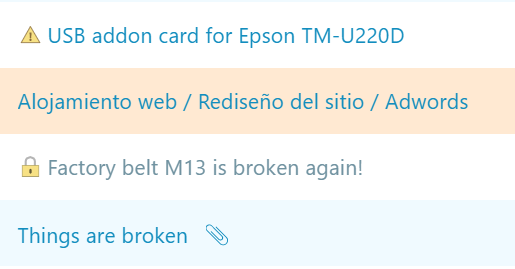
Have you checked these first?
Help us help you: include your environment details. We've made this easy for you. Use the Copy System Info button in Admin Panel › osAwesome › Diagnostics, then paste below.

Note: Never paste the contents of your ost-config.php file here; it holds your database credentials.
Two quick checks before posting: try clearing your browser cache, and press SHIFT+O on any Staff Panel page to enter Safe Mode (a stock osTicket with no enhancements). If the problem still shows in Safe Mode, it's in osTicket itself, not osTicket Awesome. But let us know about the issue either way.
Help us help you: include your environment details. We've made this easy for you. Use the Copy System Info button in Admin Panel › osAwesome › Diagnostics, then paste below.
This forum is public. Never post order numbers, full license keys, email addresses, or payment details.
This is the place for general questions about how billing and licensing work — renewals, activation, staging slots, plan differences, and what happens when a license lapses.
For anything tied to your specific account, refund, or payment, contact us directly instead.

Solution
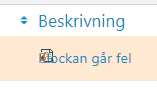
Add the following in: staff-desktop.css:
.Icon.lockedTicket.link.truncate {
padding: 0 0 0 20px;
max-height: unset !important;
}

Thank you once again, @lafr, for posting a glitch and a solution. There really isn't much more I can ask than this!
I use osTicket for my own business, of course, but I am a one-man operation. So that's likely why I don't run into locked tickets and I wouldn't have noticed this. It seems to me that a) the ticket is locked when another Agent is editing it and b) there is no way to manually trigger a lock.
I'll have to look into replacing that icon to match the theme. But let me ask you this...
Do you feel that an icon is enough? Would it be useful to have something extra (perhaps red or highlighted text) to make it obvious to the Agent that the ticket is locked? Or do you feel that it isn't so important and it is better to not create too much of a distraction from the other tickets?
We are used to the Lock symbol and know that someone is working on it, and i think you get an additional warning if you click and open a ticket that's locked.
It could be that the extra warning is now shown because .sticky.bar.fixed is above. The session expired warning appeared behind. So i think that needs to be moved or get a higher z-index than .sticky.bar.fixed
@lafr, I have added a new icon to highlight a locked ticket, as well as stylized the message bar that is used to renew the lock on ticket. Watch for v10.3, coming soon, for these enhancements. Thanks again for the head's up on this.