
Have you checked these first?
Help us help you: include your environment details. We've made this easy for you. Use the Copy System Info button in Admin Panel › osAwesome › Diagnostics, then paste below.

Note: Never paste the contents of your ost-config.php file here; it holds your database credentials.
Two quick checks before posting: try clearing your browser cache, and press SHIFT+O on any Staff Panel page to enter Safe Mode (a stock osTicket with no enhancements). If the problem still shows in Safe Mode, it's in osTicket itself, not osTicket Awesome. But let us know about the issue either way.
Help us help you: include your environment details. We've made this easy for you. Use the Copy System Info button in Admin Panel › osAwesome › Diagnostics, then paste below.
This forum is public. Never post order numbers, full license keys, email addresses, or payment details.
This is the place for general questions about how billing and licensing work — renewals, activation, staging slots, plan differences, and what happens when a license lapses.
For anything tied to your specific account, refund, or payment, contact us directly instead.

I currently have problems copying and pasting screenshot in the body of the text editor.
There is a way to solve this problem.
osTicket v1.12 // osTicket-1.12-Awesome-104
PHP 7.3.7 // MySQL 5.5.60 // Apache/2.4.6 (CentOS) OpenSSL/1.0.2k-fips PHP/7.3.7 web server
=====
DB Error #1062
[INSERT INTO ost_attachment SET file_id = 3, type = 'D', object_id = 1] Duplicate entry '1-3-D' for key 'file-type'
---- Backtrace ----
#0 (root)/include/mysqli.php(199): osTicket->logDBError('DB Error #1062', '[INSERT INTO `o...')
#1 (root)/include/class.orm.php(3455): db_query('INSERT INTO `os...', true, true)
#2 (root)/include/class.orm.php(658): MySqlExecutor->execute()
#3 (root)/include/class.attachment.php(172): VerySimpleModel->save()
#4 (root)/include/ajax.draft.php(101): GenericAttachments->upload(Array)
#5 (root)/include/ajax.draft.php(301): DraftAjaxAPI->_uploadInlineImage(Object(Draft))
#6 (root)/include/class.dispatcher.php(145): DraftAjaxAPI->uploadInlineImage('1')
#7 (root)/include/class.dispatcher.php(38): UrlMatcher->dispatch('1/attach', Array)
#8 (root)/include/class.dispatcher.php(120): Dispatcher->resolve('1/attach', Array)
#9 (root)/include/class.dispatcher.php(38): UrlMatcher->dispatch('/draft/1/attach', NULL)
#10 (root)/scp/ajax.php(291): Dispatcher->resolve('/draft/1/attach')
#11 {main}
=====

Hi AdvisorIT,
I overlooked your post, I apologize for the delayed response.
I want to make sure that I understand you correctly. Are you receiving the database error as a result of attempting to copy and paste an image into a ticket?
As far as I know, it isn't possible to copy and paste an image into the text editor. BUT attempting to do so shouldn't produce a database error either. So I'm confused.

- What happens when you use the Insert Image button?
- PHP 7.3.7 is a little cutting edge. You may want to consider dropping down to a version is the 7.0 range.
- Are you using any plugins?

More to @stevland's points.
PHP 7.3 is not officially supported by osTicket yet. Check it out here - https://github.com/osTicket/osTicket/issues/4800#issuecomment-473354828 even though @Jedikev does mention later that they are using it on 7.3 themselves.
Thank you for the detailed report, @it-support@lindner-esskultur.de. I didn't realize that one could copy and paste from the Windows Snipping Tool into osTicket... very useful (when it works)!
In any event, I did run into the same issue while testing in my demo for vanilla osTicket v1.12.2:
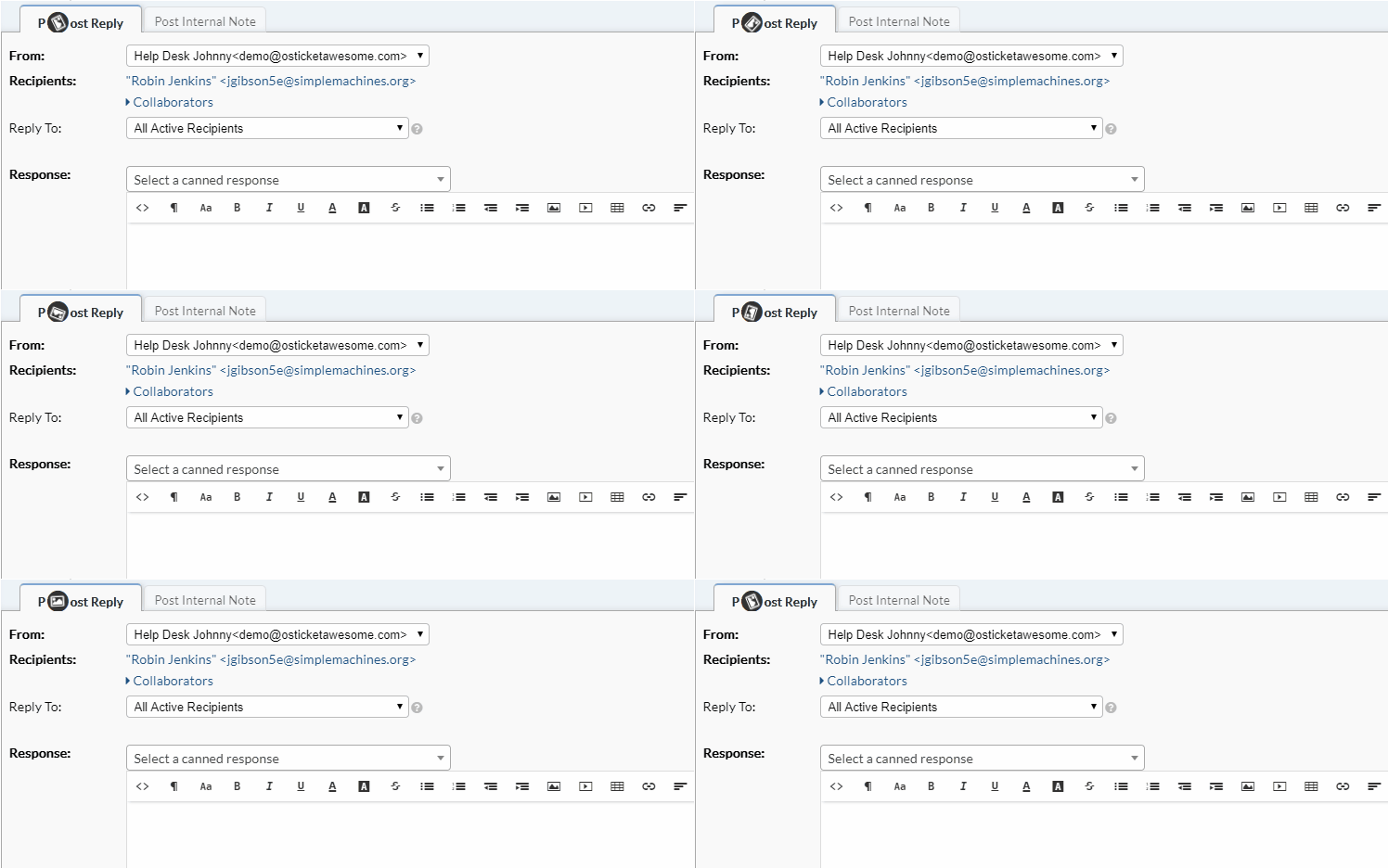
Therefore, this is an osTicket core issue—not an osTicket Awesome issue. Please report it in the osTicket Forum or, better yet, open an issue on GitHub.

Dude, my answer is gone... can you bring it back so I can copy & paste it to osTicket Forum / GitHub?
That is weird dude... here is what I have from the email sent to me:
I can confirm the issue. It can happen when you copy & paste an image into the editor which is already stored in the DB. To reproduce:
open a ticket<br />
move to HTML editor (add message / internal note)<br />
write some text<br />
copy & paste image into editor<br />
wait until progress icon & bar are gone <br />
check osTicket DB -> table ost_file -> last inserted row is your image (not necessary to check it - it'll be there...)<br />
now comes the strange part: sometimes (not always, but often), when you just inserted the image, it does not appear in the editor's box.. even more strange: if you don't move the cursor and just redo pasting (and wait for progress icon / bar) the image then appears (at least as generic thumbnail which becomes the image when you switch to HTML and back)<br />
when point 7 happens as described (and you do pasting image again) the error #1062 is logged (but the image is in place)
Now, techcare is right when he is pointing to PHP version: in PHP 5.6.40 I can't produce any of these issues. But even with PHP 7.1.8 (which should be supported since 1.11) I'm having them (massivly). <br /><br />
<br /><br />
Our users / agents do (nearly) never use the "Insert Image"-Button since most of the images are just small parts of a screenshot (and it's a long way to save & upload instead of just copy (using snipping tool) & paste). If anyone has an idea how to fix the problems I'd take it...
Post Link: https://osticketawesome.com/forums/topic/error-copy-paste-screenshot/#post-4848
Hi it-support,
I don't know what happened. It is really weird that your post disappeared.
On my end, deleting a post is a two-step process, so I definitely didn't remove it.
Thanks for posting the email response, @techcare. I'll clean it up a bit:
I can confirm the issue. It can happen when you copy & paste an image into the editor which is already stored in the DB. To reproduce:
open a ticket
move to HTML editor (add message / internal note)
write some text
copy & paste image into editor
wait until progress icon & bar are gone
check osTicket DB table ost_file last inserted row is your image (not necessary to check it – it’ll be there…)
now comes the strange part: sometimes (not always, but often), when you just inserted the image, it does not appear in the editor’s box.. even more strange: if you don’t move the cursor and just redo pasting (and wait for progress icon / bar) the image then appears (at least as generic thumbnail which becomes the image when you switch to HTML and back)
when point 7 happens as described (and you do pasting image again) the error #1062 is logged (but the image is in place)
Now, techcare is right when he is pointing to PHP version: in PHP 5.6.40 I can’t produce any of these issues. But even with PHP 7.1.8 (which should be supported since 1.11) I’m having them (massivly).
Our users / agents do (nearly) never use the “Insert Image”-Button since most of the images are just small parts of a screenshot (and it’s a long way to save & upload instead of just copy (using snipping tool) & paste). If anyone has an idea how to fix the problems I’d take it…

Guys was this ever resolved? I'm having the same issue since we upgraded our OSticket from1.12.2 to 1.14.1. We can no longer copy/paste images or drop attachments into the body any tickets, these no longer display correctly, instead all images including avatars display with an "x". The show images option no longer works either. JediKev thinks it might be a theme issue or that I should drop down my sql version (which would probably mean reinstalling everything) but this issue didn't exist for us in 1.12.
https://github.com/osTicket/osTicket/issues/5302
Thanks.
As I stated earlier in this thread, I did find the same issue was present in vanilla osTicket 1.12.2. You can verify this for yourself by testing it here. You can also try the same using the vanilla osTicket 1.14.1 demo.
Please note that you don't have to "remove" osTicket Awesome to test such things on your own server. One can have osTicket / osTicket Awesome multiple installations, all running off of the same database.
In fact, the osTicket Awesome installation instructions encourage you to keep your own vanilla copy of osTicket on your web server for testing purposes.
If you do not have a vanilla installation on your own server, it is easy enough to create one.
- download a copy of osTicket
- upload the upload/ directory
- rename it to something meaningful (e.g. support-old/)
- copy your ost-config.php file over:
cp support/include/ost-config.php support-old/include/ost-config.php - visit www.yourdomain.com/support-old/scp in your web browser
I hope this helps.
Thanks Stevland - I actually have multiple virtual machines on my backend running OSticket w/ and w/o OSticket Awesome for this very reason. I went ahead and spun up one of my 1.14.1 VM's without OSticket awesome and guess what - the issue is there. Oddly enough we didn't see this in 1.12.2 as you reported above but we definitely see it in 1.14.1
I concur that this is NOT a "theme" issue, so at this point I'm guessing its a OSticket bug. Any idea what's causing it?