
Have you checked these first?
Help us help you: include your environment details. We've made this easy for you. Use the Copy System Info button in Admin Panel › osAwesome › Diagnostics, then paste below.

Note: Never paste the contents of your ost-config.php file here; it holds your database credentials.
Two quick checks before posting: try clearing your browser cache, and press SHIFT+O on any Staff Panel page to enter Safe Mode (a stock osTicket with no enhancements). If the problem still shows in Safe Mode, it's in osTicket itself, not osTicket Awesome. But let us know about the issue either way.
Help us help you: include your environment details. We've made this easy for you. Use the Copy System Info button in Admin Panel › osAwesome › Diagnostics, then paste below.
This forum is public. Never post order numbers, full license keys, email addresses, or payment details.
This is the place for general questions about how billing and licensing work — renewals, activation, staging slots, plan differences, and what happens when a license lapses.
For anything tied to your specific account, refund, or payment, contact us directly instead.

osTicket v1.14.2 // osTicket-1.14.2-Awesome-102
PHP 7.3.11 // MySQL 10.3.21 // Apache/2.4.39 (Unix) web server
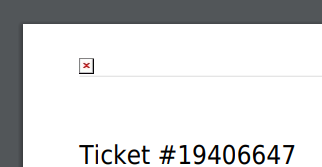
Browser cache deleted, same behavior on Chrome and Edge!
Greetings,
Markus

Same problem here 🙂
osTicket v1.14.2 // osTicket-1.14.2-Awesome-102
PHP 7.0.33-0ubuntu0.16.04.14 // MySQL 5.7.30 // Apache/2.4.18 (Ubuntu) web server

Thank you for taking the time to post those screenshots.
We are looking into this and will respond soon.
This is really weird. The custom logo / print function works perfectly on this end. I'm sure that you'll find the same thing if you try it in the demo.
https://osticketawesome.com/a/1.14.2-2/scp/theme.php#logo-options
What file type are each of you using for the logo?
Other than a file type issue, we can't find any mistakes in the code or think of any other reason why this wouldn't work.
If either of you would be willing to let us access your installation, that would be extremely helpful.
If so, please submit this form with as much detail as possible.
stevland, i used a PNG file. are there any standards to the file and size? what ist the best format to use for the logo?
PNG is just fine and actually, they system will display an error if it doesn't like the file type.
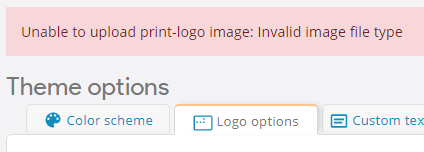
So I'm back to not having a clue what is going wrong. 🙁
Hi guys,
I haven't been able to reproduce this in my demo installation, my own personal business installation, or on my testing server.
If either of you would be willing to let me access your installation, that would be extremely helpful.
If so, please submit this form with as much detail as possible. Otherwise, sorry but I am out of ideas.
I'm sorry that I have to ask you about this again after such a long time! But now do I have some time to develop our ticket system further.
I still have the problem that the logo is not printed, but I also noticed that avatars are not printed either. So I assume that the error is not with you but with an authorisation problem or PHP extension!
I host osTicket on a Synology RS and apart from the printing everything else works fine.
osTicket v1.17 // osTicket-1.17-Awesome-102
PHP 8.0.17 // MySQL 10.3.32 // Apache/2.4.51 (Unix) web server
PHP extensions: gd, imap, intl, ldap, mysqli, phar, zip, zlib
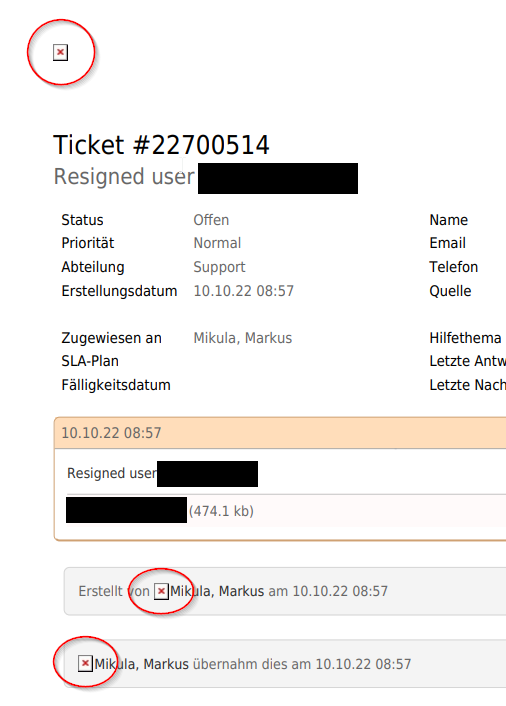
Greetings,
Markus

No logo printed and no avatars too, but each picture inserted in a ticket is.
Using the original osticket version intergrated in osticket awesome it doesn't print at all.
osTicket-Version: v1.17

Server-Software: Apache

MySQL-Version: 10.3.36

PHP-Version: 8.1.11
PHP-Extensions

gdlib

imap

xml

xml-dom

json

mbstring

phar

intl

fileinfo

zip

APCu

Zend

Opcache
# cat /etc/debian_version

10.13
Ok, I made a fresh reinstall in the root directory and stepped down to php 8.0 and all logos are printed, but not the avatars.
I still cannot reproduce this issue on my end.
I think you guys are starting to realize that it is something about your environment.
After printing you should look at your Apache error logs for anything relevant.
In my case I only see a 200 HTTP OK code:
200 POST /scp/tickets.php?id=228 HTTP/1.1