
Have you checked these first?
Help us help you: include your environment details. We've made this easy for you. Use the Copy System Info button in Admin Panel › osAwesome › Diagnostics, then paste below.

Note: Never paste the contents of your ost-config.php file here; it holds your database credentials.
Two quick checks before posting: try clearing your browser cache, and press SHIFT+O on any Staff Panel page to enter Safe Mode (a stock osTicket with no enhancements). If the problem still shows in Safe Mode, it's in osTicket itself, not osTicket Awesome. But let us know about the issue either way.
Help us help you: include your environment details. We've made this easy for you. Use the Copy System Info button in Admin Panel › osAwesome › Diagnostics, then paste below.
This forum is public. Never post order numbers, full license keys, email addresses, or payment details.
This is the place for general questions about how billing and licensing work — renewals, activation, staging slots, plan differences, and what happens when a license lapses.
For anything tied to your specific account, refund, or payment, contact us directly instead.

I love your theme.
Running osTicket 1.12 with Awesome 105.
I want to change the background colors for internal notes (to yellow) and email reply (to light red). I have users sending internal notes to customers and I need to visually slap them in the face.
I trying to change this in /scp/css/scp.css but when I make the changes nothing happens. I'm guessing that whatever changes I make are getting over ridden by some of your theme css's. Is this an accurate assumption. If so where do I need to make the changes?

I’m guessing that whatever changes I make are getting over ridden by some of your theme css’s
Yes, that is exactly what is happening.
For that reason (and also because it will be easier to keep track of when updating to a newer version of osTicket Awesome in the future) the recommended file to add all of your custom CSS to is osta/user-styles.css. It is the last style sheet to load so anything declared there will override any other styles.
Could you help me with the code for that? I'm kind of new at CSS any guidance you can offer would be much appreciated. If required, we would be glad to pay for your help. Thank you. Great product.
I can do that. I think I know what you want to change, but rather than wasting time composing code when I may be wrong...
why don't you help me help you by sending me a screenshot of what you want to change?
OK so having a devil of a time uploading this so I'm going try and split it in 2.
Here are the snapshots you wanted, the first one show the changes we want on the Open Ticket page:
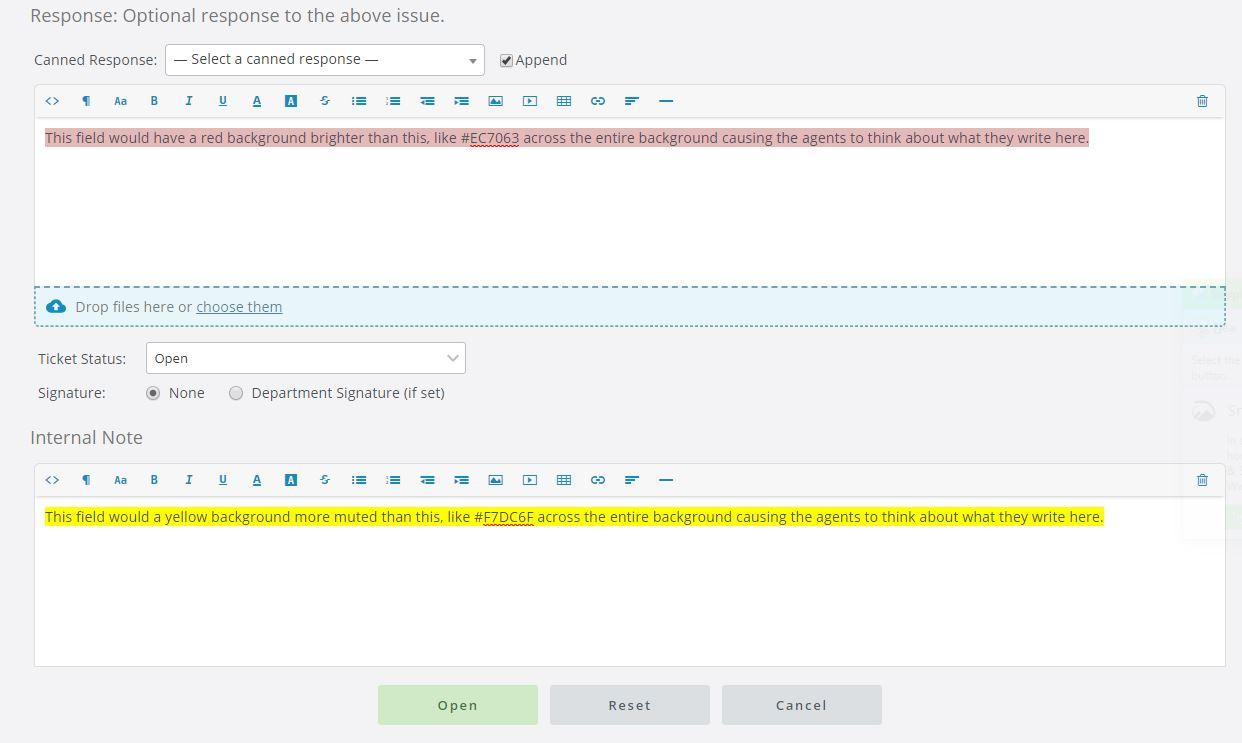
So it won't do it in 2 parts, here is 2 of 3.
The second one shows these same changes on the Edit Ticket page:
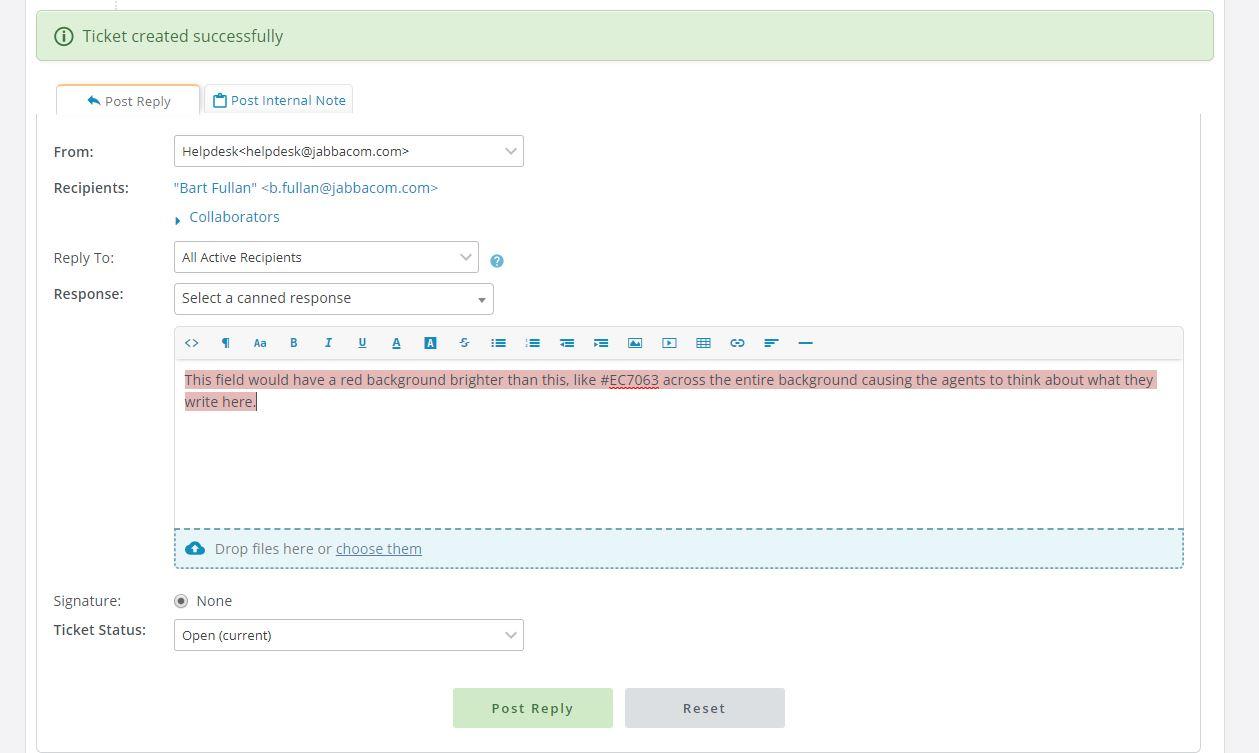
And finally we would like to make the Post Internal Note tab to be the default tab on the Edit Ticket page, as described on osTicket forums at the following URL:
https://forum.osticket.com/d/89709-change-internal-note-to-default-tab
Thank you for making such a great product and being so accessible. We really appreciate it.
Have you had a chance to look into this?
Oh weird! I typed a reply days ago... I guess I neglected to click Submit. Sorry about that.
I'm glad I asked for clarification because I was completely mistaken regarding what you want to modify.
This looks like these requests will take around 1/2 hour or so to implement, so I will quote you $40USD.
Obviously, I will need direct access to your installation to do the work. If you wish to proceed please fill out this form with as much information as possible. I will complete the changes within 2 business days or less and send you an invoice through PayPal.

hi, did you ever make these changes - and do you think you could have these as a system-wide option? I am. happy to pay for these changes, to be switchable for everyone?