
Have you checked these first?
Help us help you: include your environment details. We've made this easy for you. Use the Copy System Info button in Admin Panel › osAwesome › Diagnostics, then paste below.

Note: Never paste the contents of your ost-config.php file here; it holds your database credentials.
Two quick checks before posting: try clearing your browser cache, and press SHIFT+O on any Staff Panel page to enter Safe Mode (a stock osTicket with no enhancements). If the problem still shows in Safe Mode, it's in osTicket itself, not osTicket Awesome. But let us know about the issue either way.
Help us help you: include your environment details. We've made this easy for you. Use the Copy System Info button in Admin Panel › osAwesome › Diagnostics, then paste below.
This forum is public. Never post order numbers, full license keys, email addresses, or payment details.
This is the place for general questions about how billing and licensing work — renewals, activation, staging slots, plan differences, and what happens when a license lapses.
For anything tied to your specific account, refund, or payment, contact us directly instead.

Hi steveland,
we updated on osTicket v1.14.2 // osTicket-1.14.2-Awesome-102 and see no column names in the Open Tickets Queue (/scp/tickets.php?queue=1 or /scp/tickets.php). They are correctly visible in all other queues.

I have tried different browsers and clear cache. The columns are displayed correctly in your demo.
Do you have any tips on what could be the cause?
thank you

Hi @Tom,
That is very odd. Which language pack are you using?
It looks like Deutch, yes?
Do you have any custom code in /osta/user-styles.css?
Hi Steveland, yes the German language package.
I took the screenshots without custom code in /osta/user-styles.css. Even with custom code (from another post) the columns are not displayed.

Happend at my installation too. It happens when you save the Queue setting in the admin menu. but only if you change some things on the first page. not the actual collums page.
Sorry for the delayed response on this.
I can't think of any suggestions. I have no idea what would cause this.
The only way I can help is if I can access your installation to see for myself.
Please submit this form (you can ignore the CPanel, SSH and FTP sections):
https://osticketawesome.com/troubleshooting/assistance-request-form/
It seems to me that you are both using the jQuery German workaround that I came up with here:
https://osticketawesome.com/forums/topic/osticket-1-14-patch-4-german/
This must have something to do with your issues, but I can't reproduce it on my end.
Please try resetting any Ticket Queue customizations that you have:
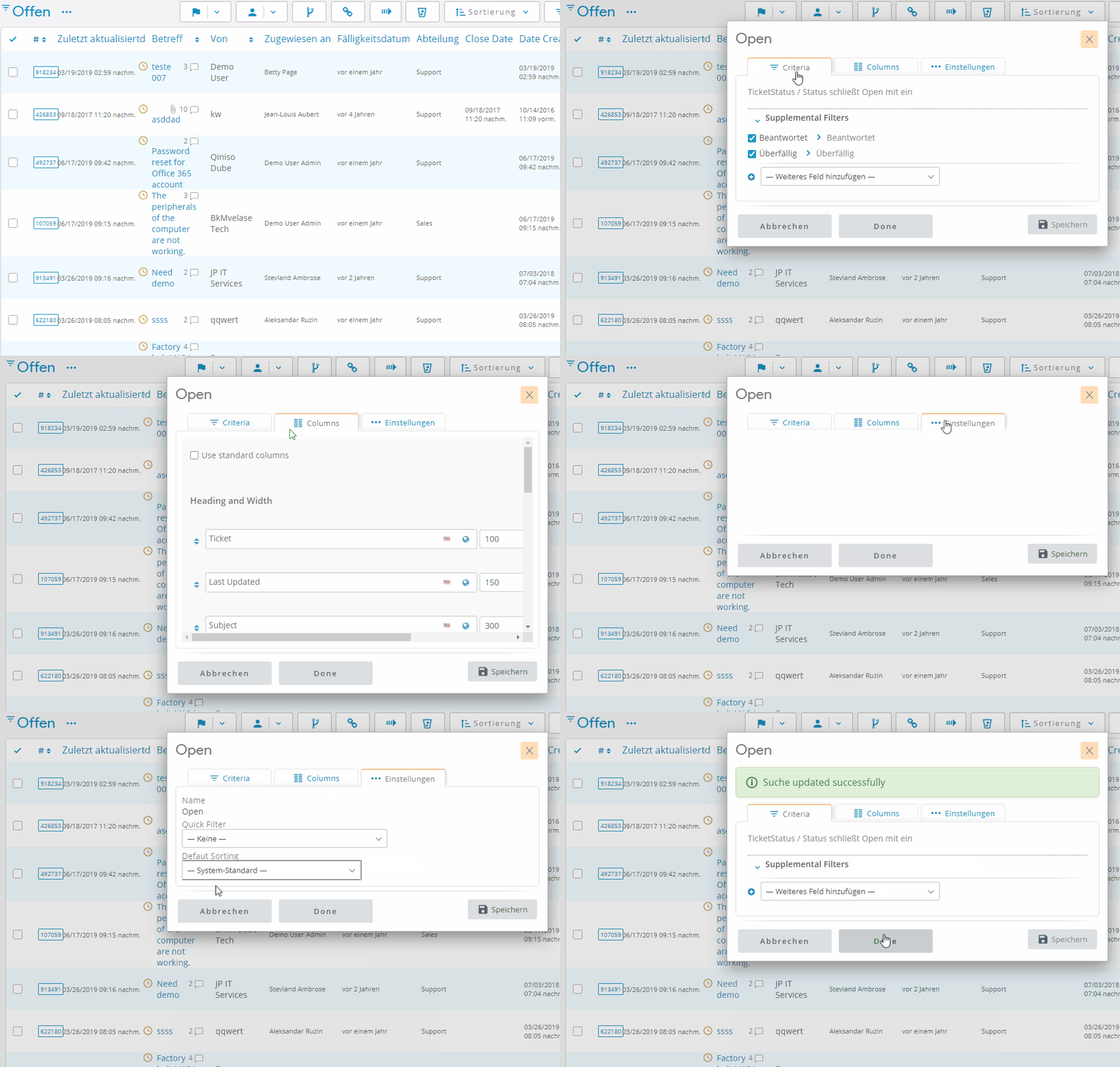
If doing that doesn't resolve the issue, the only way I can help is if I can access your installation to see for myself.
Please submit this form (you can ignore the CPanel, SSH and FTP sections):
https://osticketawesome.com/troubleshooting/assistance-request-form/