
Have you checked these first?
Help us help you: include your environment details. We've made this easy for you. Use the Copy System Info button in Admin Panel › osAwesome › Diagnostics, then paste below.

Note: Never paste the contents of your ost-config.php file here; it holds your database credentials.
Two quick checks before posting: try clearing your browser cache, and press SHIFT+O on any Staff Panel page to enter Safe Mode (a stock osTicket with no enhancements). If the problem still shows in Safe Mode, it's in osTicket itself, not osTicket Awesome. But let us know about the issue either way.
Help us help you: include your environment details. We've made this easy for you. Use the Copy System Info button in Admin Panel › osAwesome › Diagnostics, then paste below.
This forum is public. Never post order numbers, full license keys, email addresses, or payment details.
This is the place for general questions about how billing and licensing work — renewals, activation, staging slots, plan differences, and what happens when a license lapses.
For anything tied to your specific account, refund, or payment, contact us directly instead.

Just got the software. Installed and working fine except for 2 issues:
1. Under admin panel, the Theme button doesn't load the page. It is just blank under the header. If i click browser refresh the theme options load. Not a huge deal but i have tested across multiple browsers and computers.
2. Attached color glitch at bottom of the screen. This happens randomly on pages and is cleared up if I click refresh on browser. It goes away and then shows the footer.
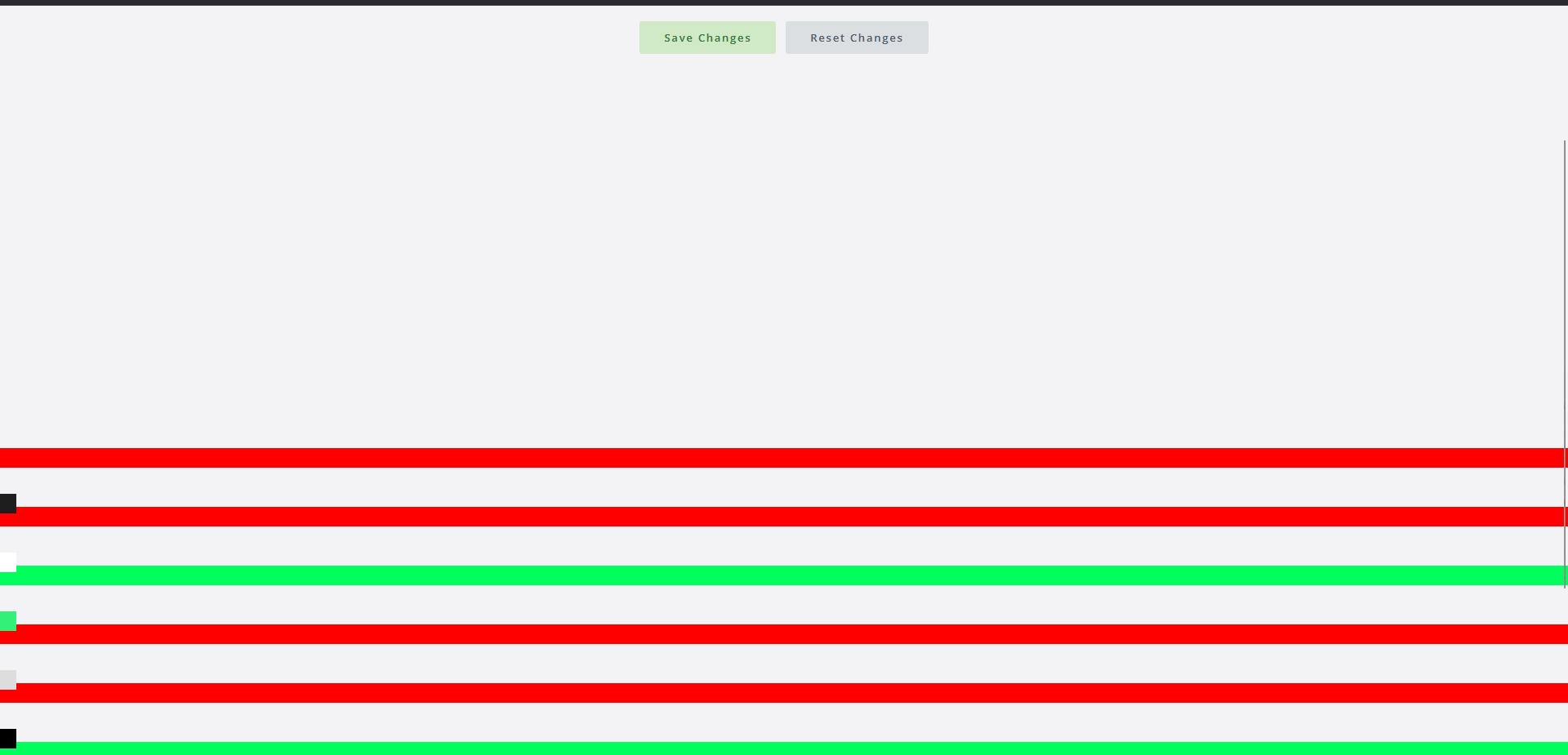

Yes, I am getting the same errors.
It would be good to know if anyone has found a fix!

What version of osTicket Awesome are you guys running?

Hello,
I am having similar issues where I click on tabs in the admin panel and they don't load. I'm not sure if it's related bu my open a new new ticket window also doesn't load the trouble description and summary. You have to fail ticket creation before they show up.
I actually renewed my license today thinking that my older version might be the root cause but it wasn't.
osT 1.18.2 and 1.18.3
PHP 8.2 and 8.4
Hi Ryan. I'm sorry for your trouble but thanks for picking this thread up. Your detail about the new ticket form fields not appearing until validation fails is new information. Ricky's original report covered the Theme page and the colored bar at the bottom of the screen, but you're the first to mention the form symptom. That tightens our picture a lot.
We haven't been able to reproduce this on our own installs or on the demo, which is part of why it's been hard to nail down. Whatever it is, it lives in a corner of the code path that breaks for some configurations and not others, and a refresh recovers because the second render takes a slightly different timing path. We need someone who can reproduce it reliably to catch it in the act.
Here's what would help most. The next time you can reproduce the broken Theme page or the broken new ticket form, can you grab some browser DevTools data before refreshing?
Open DevTools first (F12 or Ctrl+Shift+I on Windows/Linux, Cmd+Option+I on Mac), then click the gear icon in the DevTools panel and turn on "Preserve log" so a refresh doesn't wipe history. Then load the broken page.
In the Console tab, screenshot any red error messages. Those usually name a file and a line number, which is the single most useful thing you can give us.
In the Network tab, screenshot the request waterfall. We're looking for any rows highlighted red, or anything stuck in a pending state long after the page appears to finish.
If you can also right-click → View Source on the broken state and save it as a text file, then refresh until it works and View Source again, the diff between the two would be gold.
Two clarifying questions while you're at it. Is the missing trouble description and summary happening on the staff-side new ticket flow (admin panel), or on the client-facing form? And does the Theme page break every time you visit it, or is it intermittent the way Ricky described?
I know its a big ask but if you could spare a few minutes I would really appreciate it. Let's nip this annoyance in the bud!

Ricky, Jason, Ryan: thank you for contributing to this thread. We'll have a fix in the next release (osTicket Awesome 1.18.3-Awesome-106) which will ship in the next few days.
It turned out to be four independent bugs all manifesting at the same point in the page lifecycle, which is why the symptoms varied across reports. Fixes cover all four.
We couldn't reproduce the exact symptoms on our own installs, which is part of why this took so long. The fixes are real and I'm quite confident that they'll fix the glitches you've been seeing. But if you upgrade to -106 and still see any of these symptoms, please come back and tell us so we can dig in further.
I'll post an update to this thread when the next release is live.
Stevland
Hi guys,
I'm sorry for the unexpected delay. The 'next release' ended up being a beast!
Please update to osTicket Awesome 1.18.3-Awesome-106 when you have a few minutes and you will not see this issue again.