
Post-Installation Tasks
Congratulations for installing or upgrading osTicket Awesome!
Here are a few final things to consider.
Important! Delete the setup directory.
-
Linux
rm -rf setup/ -
Windows IIS
rmdir /s /q setup
osTicket Awesome releases include up-to-date copies of the most popular osTicket plugins. But you need to go to Admin Panel > Manage > Plugins and manually install and enable any plugins that you want to use.
If the plugin you need is not included with osTicket Awesome, you should look for the latest version online.
As a last resort you can copy the old plugin file over from your backup by going to support-old/include/plugins.
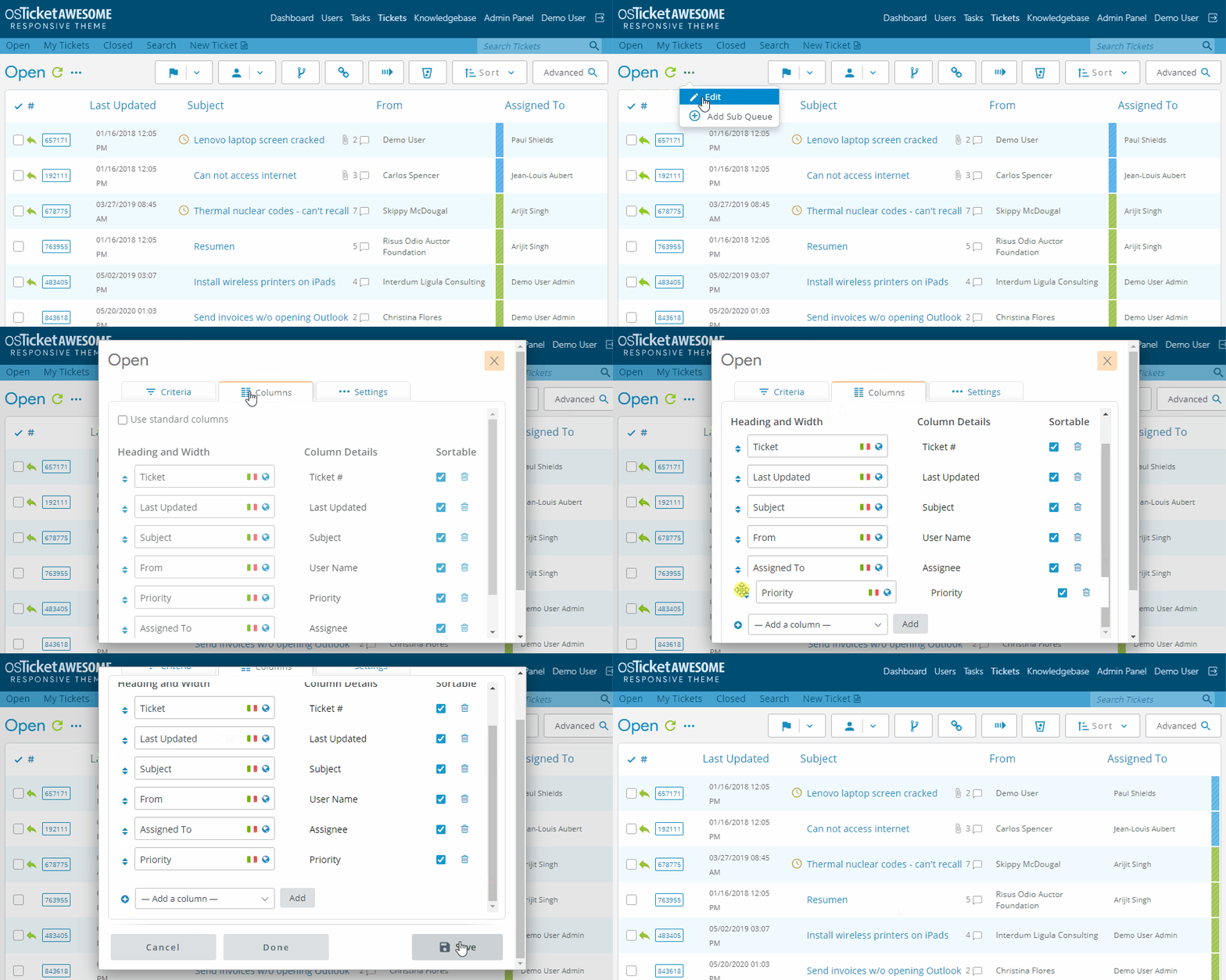
We recommend configuring Priority as the last column in each Ticket Queue. It looks better this way.
You should enable osTicket Awesome’s avatar system by going to Admin Panel > Settings > Agents > Avatar Source > and selecting “Gravatar / Initials (local fallback)”
You may also want to go to Admin Panel > Settings and configure your Primary and Secondary Languages.
Not many people use Email Piping, but if you did use it previously you probably have to set it up again. See the Email piping tips on our Troubleshooting page.
Ubuntu only: make the osta/uploads directory writable
# Make uploads directory writable by the web server
$ sudo chown -R www-data:www-data osta/uploads/
You should also take a look at osTicket’s Post Install Setup Guide.
If you run into any trouble, please have a look at our Troubleshooting page.